iPhone & iPad
Tap Share, then Copy link. Downloads appear in Safari and the Files app.
 GalaxyFetch
Animated X posts
Convert a public X animated post into a real, looping GIF file.

Checking source
Reading video information without downloading the media.
Checking available video qualities.
Choose before we transfer
Conversion settings
Actual size depends on the animation. GIF conversion is limited to 20 seconds and 30 MB, or your site's lower limit.
Checking source
Reading video information without downloading the media.
Checking available video qualities.
Ready for a short while
Link expires in 15:00
Couldn’t prepare it
Simple process
Many animations shown as GIFs on X are delivered as short silent videos. This tool converts supported animations into actual .gif files.

Copy the public X post link containing the animation.
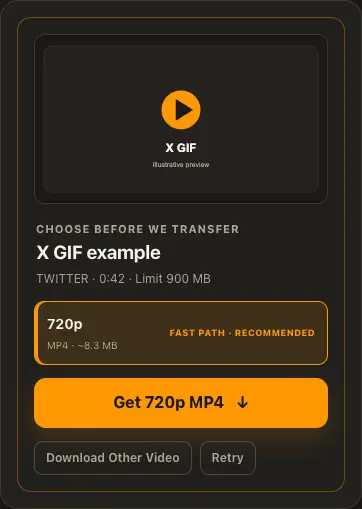
Paste it, then choose frame rate, maximum width, and colors; balanced settings are preselected.
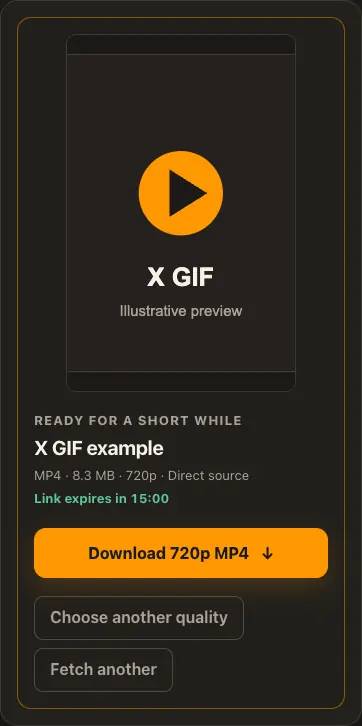
Preview the converted animation and save its GIF file.
Screens are illustrative. Available media and delivery times depend on the public source.
A closer look
See the same three stages on a larger screen. Each example is captured from this website.

01 / Paste
Animated media on X is normally linked through its status URL, just like a video. Copy the post that contains the animation rather than a profile page.

02 / Choose
X commonly stores animations as silent MP4s. Choose a frame rate, maximum width, and colors per frame; the balanced defaults are selected for you.

03 / Save
Preview the motion before saving to ensure the correct post was checked. Protected or removed statuses cannot be converted into a public download.
Transparent by design
The output is a real looping GIF, not an MP4 renamed to .gif. Balance motion, detail, and file size with three bounded conversion controls.
Works everywhere
Open the individual animated post and copy its /status/ link. A protected or deleted post cannot be processed without access.
Tap Share, then Copy link. Downloads appear in Safari and the Files app.
Tap Share → Copy link. Find the finished GIF in Downloads or your browser.
Open the individual post, copy its address, then check your Downloads folder.
Why choose this tool
GalaxyFetch converts X’s silent animation source into a genuine GIF and lets you tune motion and detail without upscaling the original.
Supported platforms
Public X/Twitter status links with animated media; not protected posts.
Frequently asked questions
X commonly serves animations as silent MP4 videos. GalaxyFetch converts short public animations into real GIF files, which takes processing time and can produce a larger file.
No. This video-based workflow does not extract static images.
X delivers its animation as a compressed MP4. A real GIF uses a different, less efficient image format, so the file can be much larger even after frame-rate and dimension limits.
The tool accepts public X animated-GIF posts with a supported tweet-video source. Known animations over 20 seconds or sources over 20 MB are excluded, and the completed GIF is capped at 30 MB or the lower site limit.
Balanced starts at 15 frames per second, up to 480 pixels wide, and 32 colors per frame. Higher frame rates look smoother; wider output and more colors can preserve detail but may increase size. The maximum-width choice never enlarges a smaller source.
No. GalaxyFetch handles only media that the source exposes publicly without an account. It never asks for your password, session cookie, or private-profile access.
No. Save only media you own or have permission to use. Copyright and the source platform rules still apply.
Desktop browsers normally save to Downloads. Android uses Downloads or the browser download list. On iPhone and iPad, check Safari Downloads and the Files app.
The post may be removed, restricted by region or age, require a login, or the source may temporarily refuse automated access. A public-looking page is not always a public media file.
More downloaders
Other formats from X and similar tools on supported platforms.
Choose your preferred language for navigation and content.