A YouTube Short is easy to watch and surprisingly easy to lose in your own file system. The Share menu copies a link, but a link is not a local video. The platform's offline-viewing feature, where available, is also different from an MP4 you can organize in Files or a desktop folder. If you need a permitted local copy of a Short you made, or a Short whose creator has authorized you to save, decide first which kind of copy you need. Then use a single-post link, choose an available format, and check the result on the device where it will actually be used.
This guide covers iPhone, Android, Mac, and Windows because the final step is different on each device. The source-quality choice happens before download; the destination and playback check happen afterward. If you only remember one rule, remember this: the existence of a “Save” or “Download” button does not settle permission. Keep your own Shorts, use a license that covers your purpose, or ask the person who made the video.
A Short has several kinds of “save”
YouTube's Save control can add a video to a playlist inside your account. That makes it easier to find later, but it does not put an MP4 in your phone's Photos library or on your computer. An official offline feature, where YouTube offers one, may make a video available inside the app for a limited period or under a subscription. That is useful for watching without a connection but not the same as an editable file you can back up independently. A creator's original export is another category again: it usually contains the best quality and may be stored with the editing project.
The method in this article concerns a local, browser-downloaded copy of one public Short. It should not be your first choice for archiving your own original work. If you still have the project export, back up that export instead. If the Short is someone else's, ensure you have permission before saving or republishing it. Downloading for personal reference and using footage in a new public post are distinct acts, and the allowed uses depend on the rights and rules that apply to that video.
Find the link to the individual Short
Open the Short itself, not the creator's channel or the scrolling Shorts feed. In the YouTube app, use Share and Copy link. On a desktop browser, copy the address from the Short's own page. A typical individual address contains /shorts/ followed by a video ID. A short youtu.be URL or a regular watch address can also identify the same single video. The exact URL shape matters less than whether it resolves to one accessible item. A channel URL cannot tell a tool which Short you meant.
If a friend sent the link through a messaging app, open it and confirm that it lands on the intended video. Messaging services sometimes attach tracking parameters; those do not create a second video, but a broken redirect can. A copied link to a playlist, search result, or channel is not a substitute. If you cannot open the Short while signed out, expect a public-link tool to fail as well. Do not share your YouTube password or account cookies with a downloader to get around a private or restricted video.
For a team workflow, record the creator, original post URL, permission basis, and date before saving. This is especially useful when several vertical clips look alike. A descriptive local filename makes the asset searchable later, but a separate source record is more reliable than cramming the full URL into the file name. Treat the source link as provenance for your copy, not as a claim that the footage is yours.
Check the Short before moving media bytes
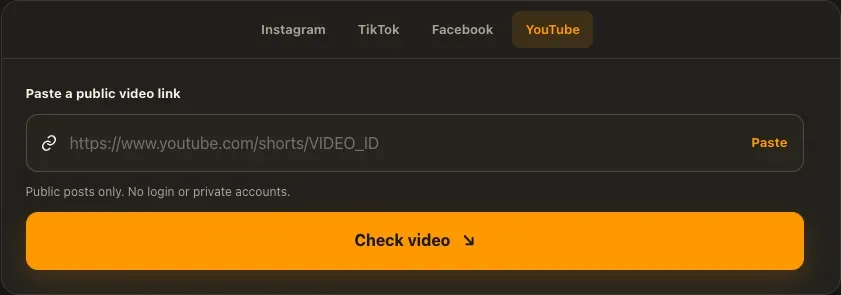
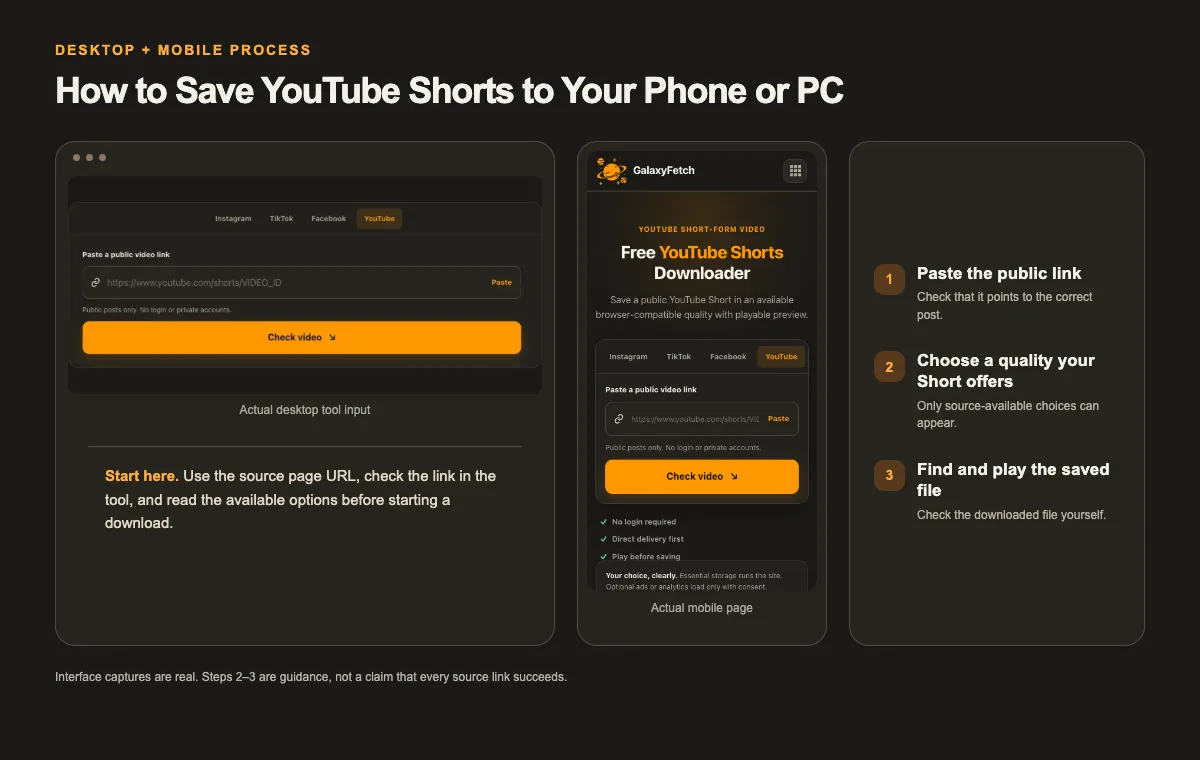
Open the YouTube Shorts Downloader, paste one public Short link, and use the check control. The page is designed to inspect the source first, then show available choices. It does not need to download every possible quality before displaying a selector. A complete compatible MP4 may take a faster delivery path; a high-resolution option with separate picture and sound can require a merge. Those are properties of the source formats, not a sign that one user gets a better hidden version of the video.
I checked the Shorts page on 1 October 2026 and confirmed that it asks for an individual Short link and describes a quality-selection step. That verifies the current interface, not a successful transfer of every public Short. The image in this guide is a real browser capture of the input, not an illustration of a finished result. For a Short you have permission to save, check the offered option, download the file, and play it locally to verify both motion and sound.
When choices appear, start with the format that fits your purpose. A smaller complete file can be convenient for reference. A larger portrait file may help if you are authorized to edit or republish the clip, but it can take longer to prepare. Do not choose by the word “HD” alone. Look at the dimensions, container, estimated bytes, and whether audio is included. The site's file-size cap is controlled in its admin settings, so a size mentioned in an old guide may not be the current limit.
If a size is calculated during transfer, leave more than the displayed estimate free on your device. Adaptive sources do not always provide a stable byte count before retrieval. Keep the browser tab open until the ready state appears, then use the actual download control. A poster image or preview frame is not the finished video. The preview player is a useful check, but playing the saved file afterward is the final proof that your device has an MP4.
Save on an iPhone
On iPhone, the browser may send the result to Files rather than directly to Photos. After choosing Download, check the browser's download indicator and open the file from its Downloads location. In Safari, that is commonly a Downloads folder in iCloud Drive or On My iPhone, depending on your settings. The exact location is set by your device; the website cannot force a universal Photos destination. If the MP4 is in Files and you need it in Photos, open the file, use the system Share menu, and choose the option to save the video when iOS offers it.
Before moving the file, tap it in Files and play the first few seconds. Then scrub to the end. If sound is expected, turn up media volume and check that the video is not muted. A silent preview thumbnail cannot tell you whether the MP4 has an audio track. If the file opens in a third-party player but not Photos, the container or codec may be unsupported by your version of iOS. Keep the original file and make a compatible working copy with a trusted converter rather than renaming its extension.
Phone storage fills faster than people expect. A vertical video may be short, but several high-resolution versions of the same clip can add up. Delete a failed or duplicate local attempt only after verifying the copy you intend to keep. If your Photos library syncs to the cloud, check whether “Save Video” created another copy; a copy in Files and a copy in Photos are separate items and may both use storage.
Save on Android
Android browsers usually place downloaded files in a Downloads directory, which can be opened through Files, My Files, or another file-management app depending on the device. The browser's notification or Downloads page may show a completed transfer even if the file does not immediately appear in Gallery. Use the file manager to locate the MP4 first. If you want it in a media album, move or copy it to a suitable Movies or DCIM folder after checking that it plays.
Android devices vary in supported codecs. If a downloaded file has audio but a black picture in one app, try the system player and a reputable alternate player before concluding the download is broken. If every player fails at the same point, inspect the file size and retry with a different available source option. Do not install a random app that asks for broad account permissions merely to open one video. A safer first step is to select a browser-compatible MP4 when the tool offers one.
If a download seems to vanish, check whether your browser was using a private or incognito session and whether storage permission is restricted. Review the browser's Downloads list. Do not repeatedly start the same large transfer until you know whether the first one completed; duplicate files often acquire numbered names that are hard to distinguish later.
Save on Mac or Windows
On a computer, copy the Short's address from its own page, check the available formats, and download the selected file. Your browser normally saves it in Downloads unless you changed the setting or chose a folder when prompted. Move a verified copy into a deliberate project directory. For example, keep Shorts / Creator / Project / rather than leaving dozens of unrelated clips in Downloads. Save a small text note with the source URL and permission record when the clip is not yours.
Open the local file in the default video player and test three points: the beginning, the middle, and the ending. A player that shows only the first frame is not enough. If the video is intended for editing, import a copy into your editor and confirm that it reads the picture and sound. Keep the downloaded original unchanged. If the editor requires conversion, export a separate working file so you can troubleshoot without losing the source copy.
On Mac, Finder's Get Info can confirm the file size, while QuickTime Player can help check playback. On Windows, File Explorer's Properties provides size information and Media Player can verify playback. These checks are ordinary device steps, not guarantees that every codec will be accepted by every application. A file extension such as .mp4 identifies a container, not a promise of universal compatibility.
Keep the vertical framing intact
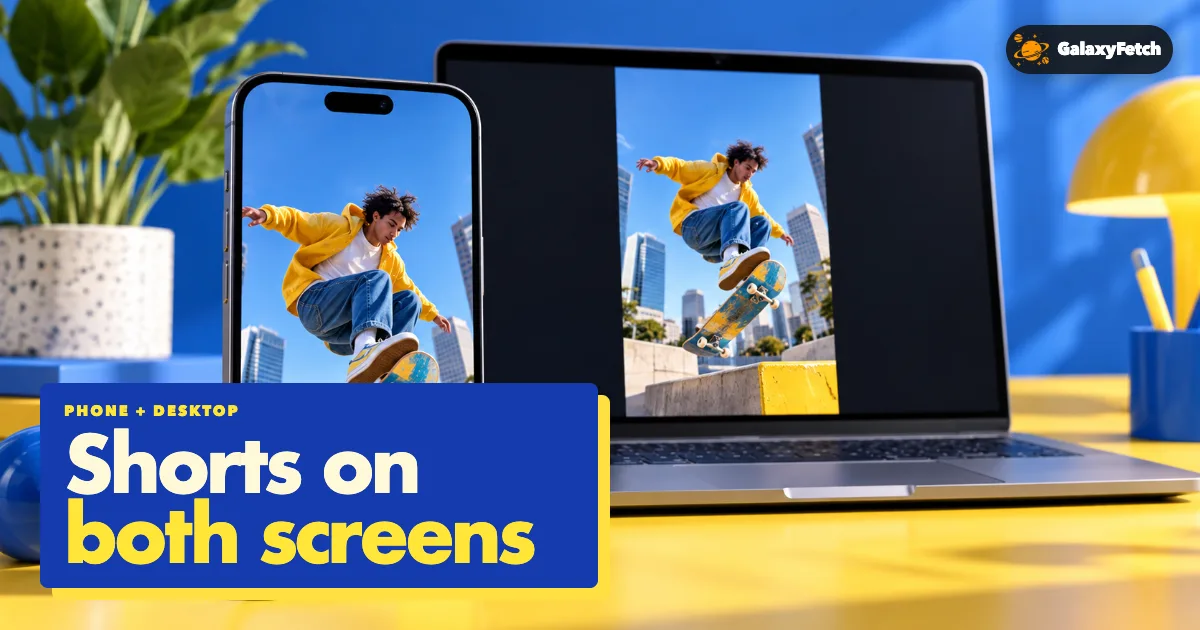
Shorts are usually portrait video. A browser player may place black or dark space beside the image on a wide screen; that does not mean the file has been cropped. Check the pixel dimensions or open the MP4 in a player that can report them. Avoid taking a screen recording of playback as a replacement for the original file: that often introduces new compression, captures interface controls, and may produce the wrong frame rate or aspect ratio.
When you use a permitted Short in a presentation, confirm the destination's crop behavior. A horizontal slide might trim the top or bottom if it tries to fill a 16:9 box. For a mobile edit, preserve the portrait canvas and inspect any captions near the screen edges. Saving the file correctly is only the first part; the next app can still change how it looks.
Quality labels also need context. A 1080-pixel-high Short is not automatically sharper than another with fewer pixels. The original upload, platform processing, and chosen format all affect visible detail. If the creator uploaded a low-resolution file, no downloader can reconstruct detail that never reached the platform. Compare the saved file with the public playback at the same display size, not with an imagined studio master.
Troubleshooting without guessing
The page says the link type is unsupported. Verify that the URL opens one public Short. Remove copied punctuation from the end of a message and paste the clean link again. If it is a channel, playlist, or feed URL, navigate to the individual video. A normal watch URL for the same video can be a useful alternative, but do not invent a video ID.
The checker stays on a loading state. First see whether the source Short itself opens. Then check your connection and try once more after a short pause. Repeatedly clicking the button can create duplicate requests. If the source is private, removed, region-limited, or temporarily blocked, a different spinner cannot make it available. Save the visible error message so support can identify the failure category.
Only one quality appears. The tool should show source-available choices rather than fabricated resolutions. A Short may expose one usable complete file, or the extractor may not be able to inspect adaptive variants at that time. Changing the title of the option would not add picture detail. Use the offered file if it meets your needs, or obtain the original from the creator.
The downloaded MP4 is silent. Test whether the public Short itself has sound. Check the player's mute state, then inspect the local file in another player. If the source has audio but the result does not, the chosen format may have been a video-only track or a merge may have failed. Record the exact option label and report it rather than claiming every Short is silent.
The link expired. Prepared links are intentionally short-lived. Reopen the original Short and run a fresh check to obtain a new one. An expired link does not delete a file already saved on your phone or computer. Keep the final MP4 in your own backup if you need it later.
The file will not save to Photos or Gallery. Confirm that it exists in Files or Downloads first. Then check device storage, app permissions, and codec support. Moving a file into a media folder is often enough on Android; iPhone may require the Share menu's Save Video option. A browser download and a library import are separate operations.
Permission is part of the workflow
A Short may be easy to share but still contain someone else's video, soundtrack, artwork, or performance. Permission to watch it is not permission to reupload it. If you made the clip, preserve your project and any music licenses. If a collaborator owns part of the work, check the agreement. If a creator gives you permission, keep a record of what uses they allowed. A Creative Commons label or a public-domain claim needs to be checked against the actual work, not assumed from a comment.
YouTube's own terms and app features can impose additional restrictions. Use official offline features when they meet your need, particularly for watching rather than creating a separate file. A public-link downloader should never ask for your account password or a private session cookie. This article is practical guidance, not legal advice, and rules may change by place and over time.
The site's delivery method can vary. A compatible source may use a direct or edge route, while a format that needs combining may be processed and held temporarily in private storage. The downloadable link is short-lived and the service has a cleanup process. That is different from claiming the service never handles a user's bytes or that every temporary object disappears at the exact second a link expires. This distinction matters if your content is sensitive.
Where a saved Short goes
| Device | First place to check | Final check |
|---|---|---|
| iPhone | Browser Downloads, then Files | Play the MP4 before moving to Photos |
| Android | Browser Downloads or file manager | Play picture and sound before moving to Gallery |
| Mac or Windows | Browser Downloads folder | Open the file in a local video player |
A quick verification checklist
- Copy the URL of the individual Short, not the channel or feed.
- Check the available quality and expected file size before starting a long transfer.
- Open the downloaded file and confirm portrait framing, picture, and sound.
Read the next guide
If you need only the cover image, use the YouTube thumbnail guide.
For a preservation copy of your own upload, follow the creator backup checklist.
Frequently asked questions
Can I save a Short directly from the YouTube app as an MP4?
The app may offer playlist saving or an offline-viewing feature, but those are not necessarily ordinary MP4 exports to your device's file system. If it is your Short, check your creator tools and original export first. For a permitted public Short, a browser download can create a local file when the source exposes a usable format.
Is a Shorts URL required?
An individual /shorts/ URL is the clearest input. A youtu.be or regular watch link can point to the same video. A channel or scrolling feed link does not identify one item and should not be used. Check the resolved page before pasting a link from another app.
Why might a high-resolution Short take longer?
Higher-quality YouTube deliveries often separate picture and sound. Preparing one playable MP4 can require downloading both tracks and combining them. Source speed, video length, and the site's configured file-size limit also matter. A short runtime does not guarantee a tiny file.
Where did the file go on my phone?
On iPhone, check the browser's Downloads list and the Files app. On Android, check the browser's Downloads list and the device file manager. Photos or Gallery may not automatically import a browser-downloaded MP4. The destination follows your device settings, not a universal setting on the website.
Can I repost somebody else's Short after saving it?
Not merely because it was public or downloadable. Ask the creator or rights holder, read any applicable license, and consider rights in music and other embedded material. A permitted personal copy and a public repost are different uses.
Does the website publish my saved Short for other people?
The user-facing design creates a private, short-lived delivery route rather than a public browse page for a requested file. Some formats may still pass through temporary processing or storage. Your own saved copy remains on your device after the link expires; the site does not become a public archive of your download.
Finish with a real playback check
The most reliable workflow is simple: copy the individual public Short link, confirm permission, inspect the actual format list, save one appropriate MP4, and play the local file from beginning to end. Then put it in a folder you can find again, along with its source and permission record. That final check is what separates a useful saved video from a button that merely appeared to work.