The phrase “full HD thumbnail” sounds precise, but the file behind a YouTube video can vary. A public video might expose a 1280 × 720 JPEG, a larger WebP, several smaller previews, or no usable large image at all. The practical question is not which size a website promises. It is which files the source actually returns for that particular video.
I checked the thumbnail tool with the public video linked in this tutorial. It returned four renditions: 1920 × 1080 WebP, 1280 × 720 JPEG, 336 × 188 JPEG and 320 × 180 JPEG. Those values describe this video only. The screenshots below show the returned preview and choices rather than implying that every public video exposes the same sizes.
First, identify the image you need
If you own the video and need the exact design file you uploaded, your original project or image export is the best source. A thumbnail downloaded from YouTube is a delivered rendition, not necessarily your untouched upload. If you are collecting a reference image for a permitted use, note the video URL and creator so you can attribute or request permission as appropriate. Do not assume that a publicly viewable image is free to reuse in another channel.
Tested steps: compare the real image variants
I used the public watch URL shown in the screenshots below. Each numbered action is paired with a capture of the actual desktop or mobile tool interface; the final image shows the download control, not a fabricated completed download.
Copy a single public YouTube watch link, then paste it into the thumbnail tool.
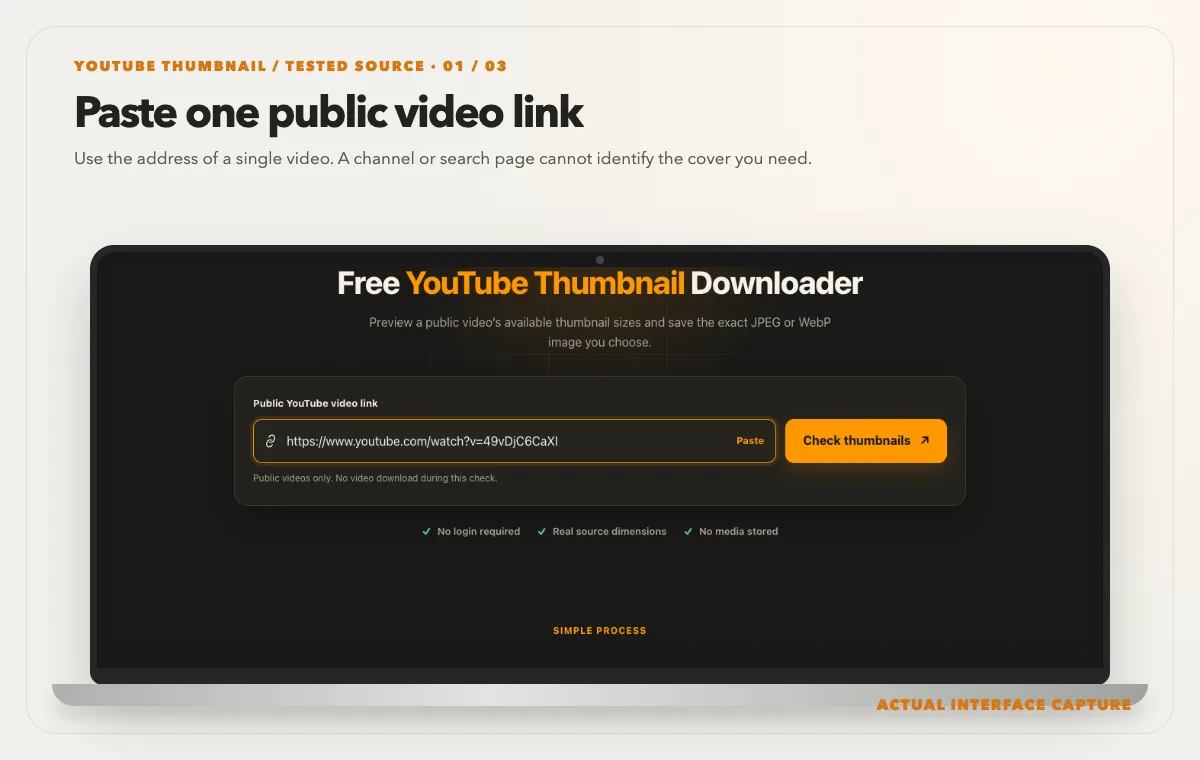
Use the address of a single video. A channel or search page cannot identify the cover you need. Device mockup contains an actual tool-interface capture from the tested public sample link. Choose “Check thumbnails” and compare the returned pixel dimensions and file formats.
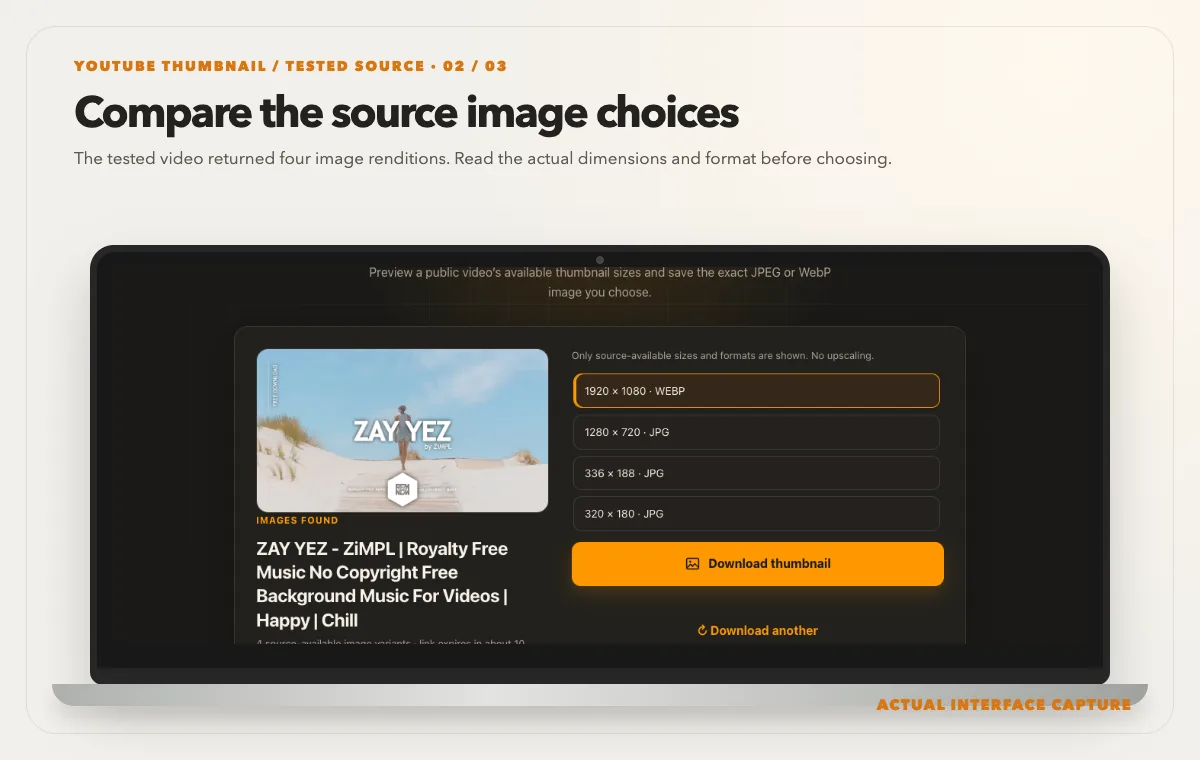
The tested video returned four image renditions. Read the actual dimensions and format before choosing. Device mockup contains an actual tool-interface capture from the tested public sample link. Select a suitable rendition, use “Download thumbnail,” and inspect the saved image on your device.
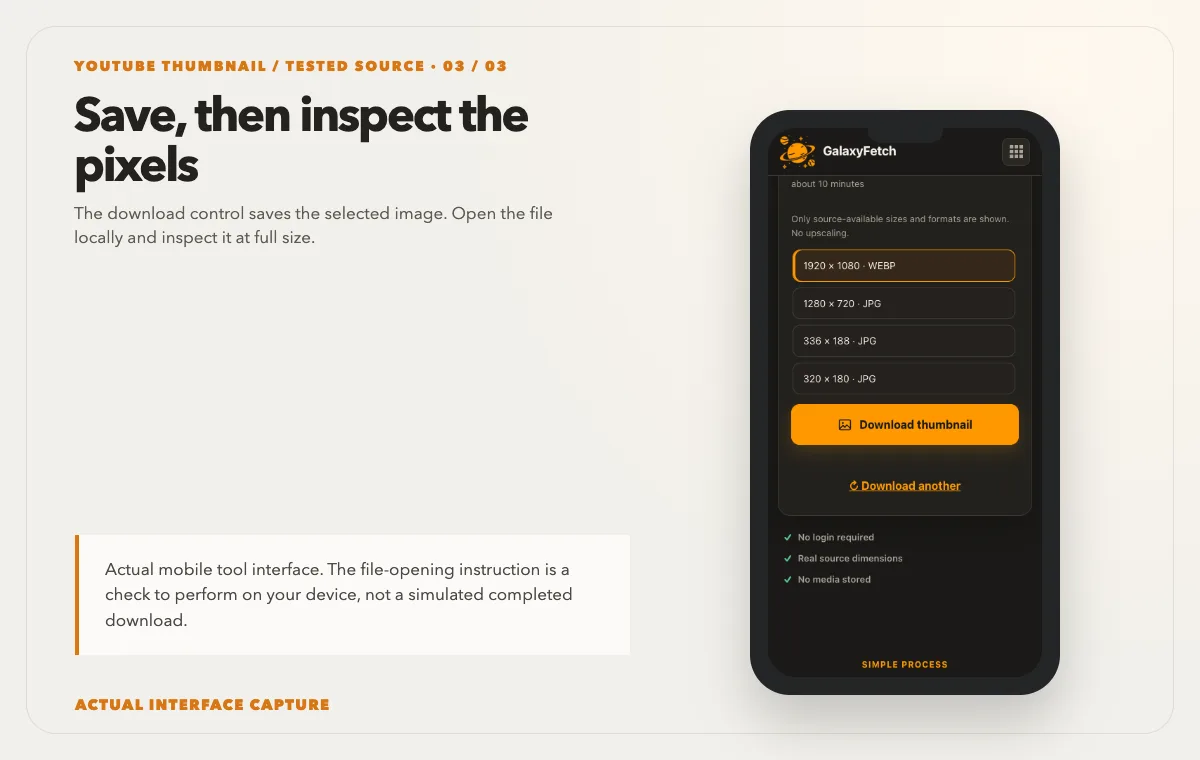
The download control saves the selected image. Open the file locally and inspect it at full size. Device mockup contains an actual tool-interface capture from the tested public sample link.
The live result showed the four sizes above, including a 1920 × 1080 WebP and a 1280 × 720 JPEG. The image is shown as a preview of the tested public video, not as a reusable asset from its creator. A successful check does not guarantee that every other video has a 1080p thumbnail.
Which option should you choose?
Use the displayed pixel dimensions rather than a generic “HD” badge. A 1280 × 720 image has the familiar 16:9 shape and is often a convenient JPEG for editors that expect JPEG. The 1920 × 1080 WebP in our test carried more pixels, but WebP may be less convenient in older workflows. If you need a JPEG for a specific document or publishing tool, select the JPEG offered by the source instead of silently renaming a WebP file.
Why the largest number is not always the right file
A larger pixel grid gives you more room to crop or display an image, but it does not guarantee a sharper-looking picture. The source thumbnail may already have been compressed, sharpened, or enlarged before upload. Open the downloaded file at its natural size and look at small lettering, edges around faces, and gradients. A 1920-pixel image that contains soft, previously enlarged artwork can look worse than a clean 1280-pixel design. Choose based on what is genuinely present in the file, not the badge on a button.
Think about the destination. A small image in a slide deck may not benefit from the largest available file, while a permitted crop for a desktop presentation needs more room. If your project requires a specific aspect ratio, calculate the crop before saving. YouTube thumbnails are commonly wide, but a design can include important words near the edge. Cropping a 16:9 image to a square can remove context or a person. Ask the owner for a square adaptation rather than stretching the wide thumbnail into the wrong shape.
File size is separate from pixel dimensions. A WebP with more pixels can sometimes use fewer bytes than a JPEG because the encoders differ. Conversely, a detailed photographic design can be larger than a flat-color graphic at the same dimensions. Do not assume the biggest byte count is highest quality. Inspect the image visually and confirm its actual width, height, and format in your file viewer. Keep those three measurements in your notes if you are comparing options for a client.
Keep the original, the delivered copy, and your edit separate
If you created the video, look for the original design export before treating a platform copy as your master. A Canva, Figma, Photoshop, or other source project may contain editable text, layers, and licensed assets that the public image cannot recover. Save the original project, the final uploaded export, and any YouTube-delivered copy in separate locations. Give them distinct names so a teammate does not accidentally open a compressed recovery copy and assume it is the current master.
For a legitimate reference collection, record the watch URL, video title, creator or channel, date checked, chosen image dimensions, format, and intended use. The thumbnail itself can change while the watch link remains the same. If you revisit the source after a redesign, a dated record helps you tell the earlier artwork from the current image. Do not rely solely on a filename such as `thumbnail.webp`; it says nothing about which video or version produced the file.
Keep edits in a working copy. Resizing, adding labels, or converting formats may be necessary for a permitted project, but those operations change what you downloaded. A preserved source copy lets you check whether a blurry edge or incorrect color came from the delivered file or your edit. If the image belongs to another creator, do not remove credits or logos merely to make it look like your own design. Technical access does not grant the right to rebrand the artwork.
Check a saved thumbnail before you use it
After the browser finishes, open the saved file from your Downloads folder. Verify that an image viewer can decode it and that the visible picture matches the video you intended. A browser preview can show an image even when the attachment failed or the wrong file was saved. Confirm the file is not zero bytes, inspect its intrinsic pixel dimensions, and compare a visually distinctive feature—such as the main subject or headline—with the watch page.
On a phone, the saved file may land in Files or Downloads rather than Photos or Gallery. Use your device’s file manager to find it before assuming the button failed. On a computer, use the browser’s download list to reveal the item in Finder or Explorer. If the file opens in a browser tab instead of downloading, save it from that tab only when you have permission and make sure the resulting extension matches the real file type. A file named `.jpg` is not necessarily JPEG if it was merely renamed.
If your editor cannot read WebP, convert a working copy with a capable local editor. Choose JPEG for an opaque photographic thumbnail when the destination requires it; choose PNG when your editing workflow needs lossless intermediate work. Conversion does not recreate detail that was never in the source. Repeated JPEG saves can add compression artifacts, so return to the untouched downloaded copy whenever you need to make a new output. Preserve the original format in the archive even if you send a converted copy to a colleague.
YouTube’s own thumbnail documentation explains why a fixed size cannot be promised for every video: available renditions depend on the resource and original upload. It identifies maxres as 1280 × 720 for some videos; its video resource also documents larger renditions where available. Our page shows only the versions it can actually verify for the pasted link.
Troubleshooting: what the test actually showed
I also tested a watch link with a nonexistent video ID. Instead of producing an image, the page displayed “Couldn’t check this video” and “This media is no longer available at the source.” If you see that message, first reopen the link in YouTube and confirm that the video itself is public and still exists. A private, deleted or restricted video will not turn into a valid public thumbnail because you retry the downloader.
A smaller-than-expected result is a different situation. Check whether the largest listed option is WebP rather than JPEG. If it is, downloading the lower JPEG is a format choice, not proof that the tool upscaled or lost a larger JPEG. If an image downloads but an editor refuses it, inspect the extension and actual file type. Converting it with a trusted image editor is safer than simply changing the filename.
The download links on this tool are short-lived. If a previously displayed option stops working later, check the public video again to obtain a fresh result. If the image still cannot be fetched, the source may have changed or temporarily rejected the request. This is an availability problem, not something a different “quality” label can repair.
Permission matters even for a single image
Saving a copy and publishing it are different acts. If the thumbnail is yours, keep your original file and use the delivered rendition only when it is useful. For somebody else’s image, ask the creator or rights holder before putting it into your own video, advertisement, article or product. A Creative Commons label on a video does not automatically settle rights in every image element, such as photography, logos or third-party artwork. Public domain and legally permitted uses depend on the underlying work and your location.
YouTube’s terms limit downloading and reuse except where the service permits it, the rights holders consent, or applicable law allows it. This guide is about examining public image variants for legitimate, permission-aware uses. It is not a workaround for private media or a claim that every public thumbnail may be republished.
The short answer
Paste one public video link, inspect the real dimensions, and choose the format your workflow accepts. In our single live test, 1920 × 1080 WebP was available alongside a 1280 × 720 JPEG. Your video may differ. Keep the original creator’s rights in mind before using the saved image anywhere beyond your own permitted reference or backup.
Choose the file that fits the job
| File | Best use | Check before reuse |
|---|---|---|
| Available large image | Layout or print planning | Open at full size; inspect sharpness |
| Smaller image | A compact reference | Check text remains readable |
| Creator’s original artwork | Editing layers or maximum source detail | Request it from the creator |
Read the next guide
Need the whole recording rather than its cover? Use the creator-backup guide.
Working with a vertical clip? Read the Shorts phone and desktop guide.
Frequently asked questions
Can every YouTube thumbnail be downloaded in 1920 × 1080?
No. The tested video exposed a 1920 × 1080 WebP, but another video may expose a smaller largest option, an inaccessible large candidate, or no public image at all. The uploader’s original design and YouTube’s delivered renditions are not identical promises. Judge the list shown for the individual video and verify the saved file’s dimensions. A site should not enlarge a smaller image and advertise the new pixel count as recovered source detail.
Why did I receive WebP when I expected JPEG?
A source can publish different formats at different dimensions. In the tested case, the largest returned image was WebP while the next size was JPEG. That does not mean the WebP is corrupt. Try opening it in a current browser or image editor. If a specific destination requires JPEG, convert a working copy or select a genuine JPEG variant when available. Simply renaming the extension changes the filename, not the encoded bytes.
Can I save a thumbnail from a private or deleted video?
Do not count on a public-link tool for content that is private, removed, or inaccessible to your region. A previously cached picture on a search page is not a reliable public source and can be misleading or stale. If the video is yours, use your creator account and your own design archive. If someone else controls it, ask them for the image and the right to use it. Repeated retries cannot create permission or restore an unavailable source.
Will the downloaded image include editable text and layers?
No. A publicly delivered thumbnail is a flattened raster image. It may be useful for comparison or emergency recovery, but it cannot restore separate text boxes, fonts, masks, or original photographs from a layered project. If you need to change a headline or move a subject, find the design source file or ask the creator for an authorized export. Editing words painted into a compressed image usually produces visible defects.
Does downloading give me permission to post it elsewhere?
No. A successful download is a technical event, not a license. Your intended use—private backup, critique, article illustration, advertisement, or resale—changes the rights question. If it is your own image, check any commissioned artwork or stock licenses inside it. For another creator’s design, obtain permission or another valid legal basis before republication. Keep records of consent and attribution so the permitted scope is clear to everyone working on the project.