A Reel's cover is the still image people see before they play it. It may be a selected video frame, a designed graphic, or a crop prepared for a profile grid. If you need a permitted copy of that image, downloading the whole Reel and taking a screenshot is usually the wrong first step. A cover-image workflow can inspect the image sizes the source exposes and transfer only the chosen picture. That saves time and helps you distinguish a portrait cover from a square grid crop.
This guide is for a public Instagram Reel or individual video post that has a source-exposed cover. It explains how to choose the correct link, compare actual dimensions, verify the saved image, and avoid claims that an upscaled image is “original HD.” It also covers permission. A cover can include photography, typography, a logo, or a person's likeness. The fact that it is visible to everyone does not automatically give everyone a right to republish it.
The cover is not the video
Instagram may show a poster image while a video is loading. That poster helps viewers decide whether to play the Reel, but it is a separate image asset in the download workflow. If your task is a design audit, a moodboard with permission, or a backup of your own cover art, there is no need to fetch the video bytes just to obtain the still. Conversely, a successful image download is not proof that the Reel's MP4 is playable or that its audio can be saved.
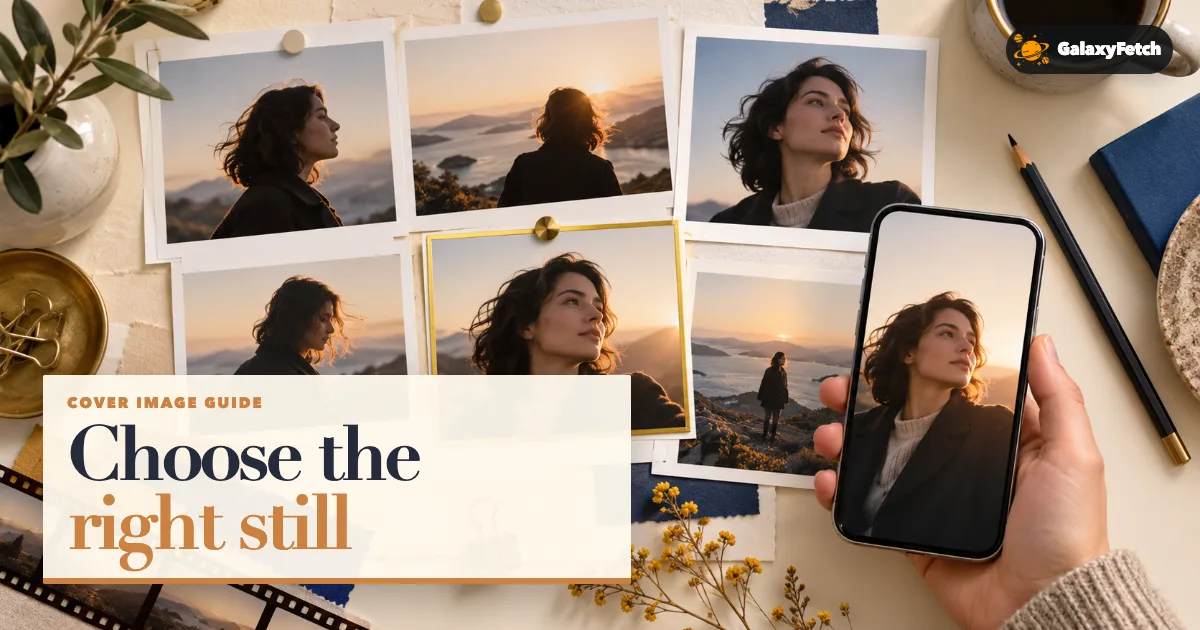
The visible image may also have several presentations. A tall portrait composition suits the Reel view, while a square crop may suit a profile grid. Those versions can differ in what they include. A title placed near the top of a portrait cover may be cut off in the square version. Downloading the first available file without checking its shape can leave you with the wrong composition for a permitted design task.
If you created the cover, preserve its original design file. A public image rendition can document what Instagram displayed, but it may be resized or compressed. It cannot restore type layers, masks, the unedited photograph, or areas cropped out before publishing. Keep the project export and a screenshot of the in-app crop when a campaign depends on exact presentation.
Find the individual video post
Open the Reel or feed video itself and copy its link. A Reel commonly uses /reel/; a feed video may use /p/. The profile page alone does not identify one cover. A Story, private post, or image-only carousel is a different source. Check that the link opens the intended creator's video and that the cover visible in the post is the one you expect.
Be careful when a link arrives through a message. A messaging app can append tracking text or punctuation. Open the URL, then copy the final clean address from the browser if needed. If the post was removed or made private, a public cover tool should not be expected to bypass that change. For your own private media, return to your design project or official account information export rather than supplying credentials to a public site.
Keep the creator handle and post URL with a saved cover. A cover can change while the underlying Reel URL remains the same, depending on platform features and edits. The retrieval date helps you explain which version you saw. If you are comparing campaign covers over time, record the aspect ratio and dimensions too. A filename such as cover-final.jpg becomes confusing after three rounds of changes.
Inspect actual cover choices
Open the exact public Reel or video post and paste its link into the cover-image tool.
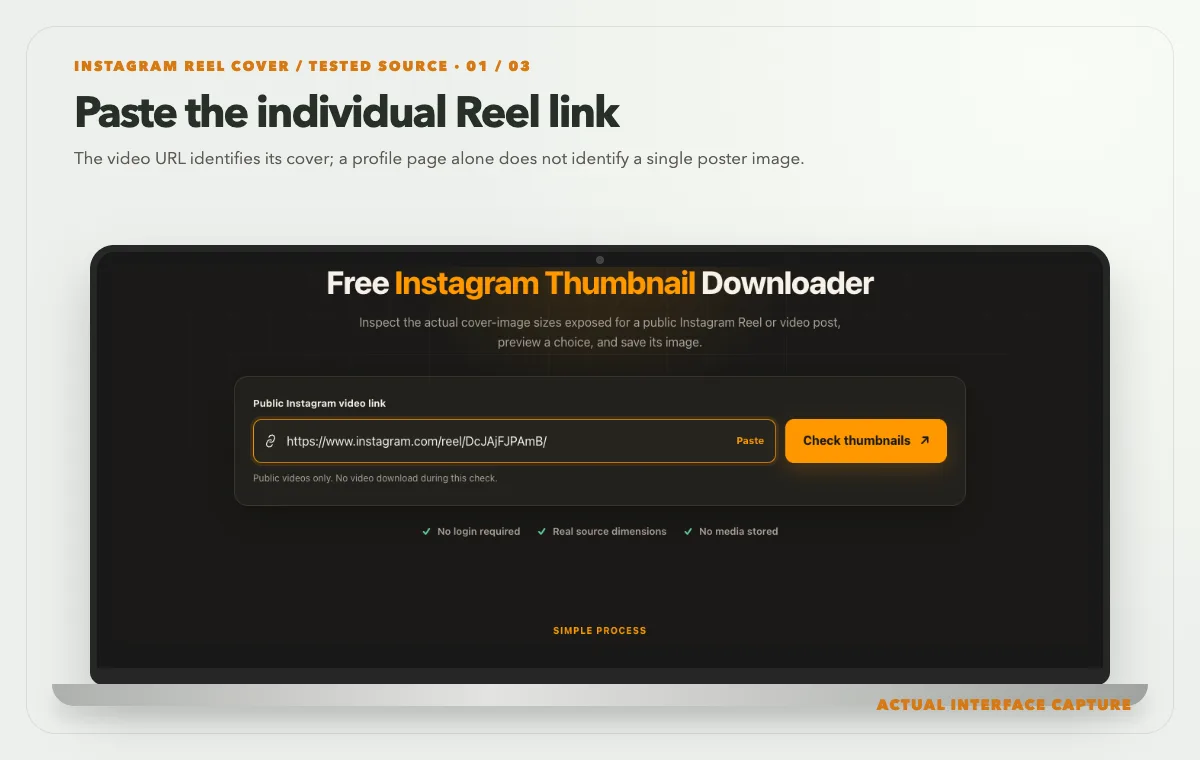
The video URL identifies its cover; a profile page alone does not identify a single poster image. Device mockup contains an actual tool-interface capture from the tested public sample link. Compare the actual portrait and square JPG choices; the tested Reel exposed eight variants.
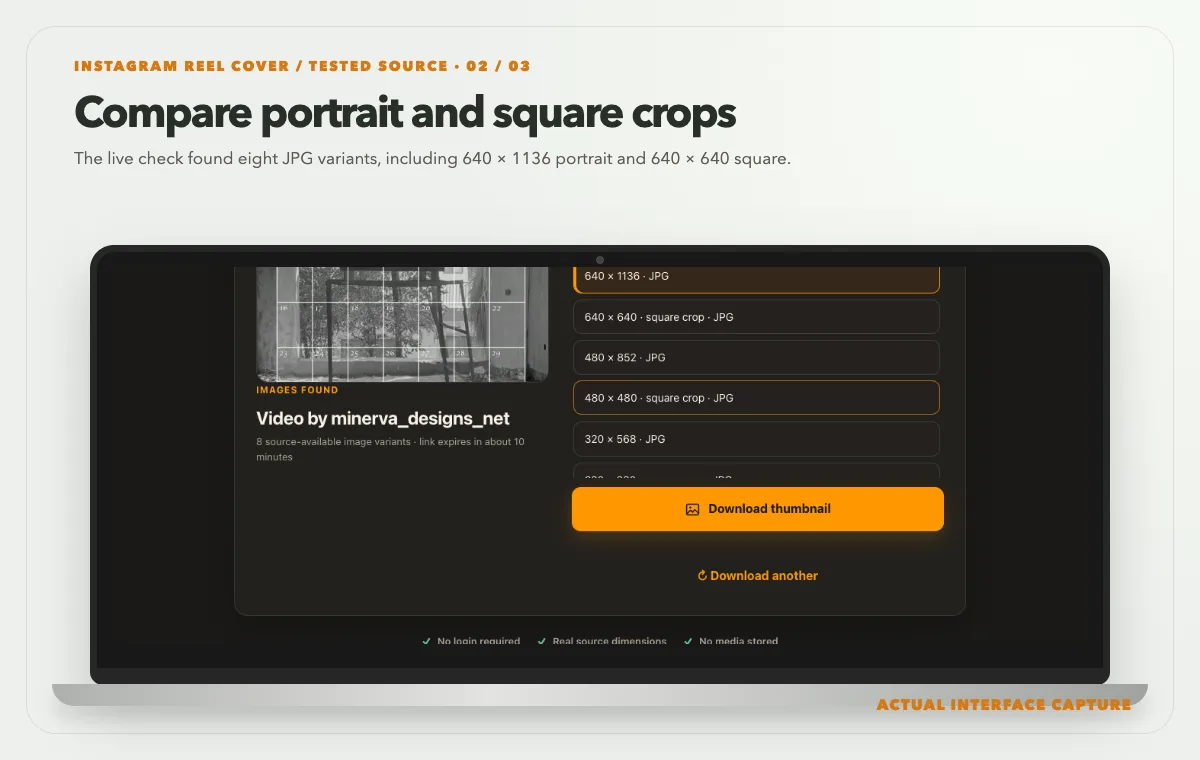
The live check found eight JPG variants, including 640 × 1136 portrait and 640 × 640 square. Device mockup contains an actual tool-interface capture from the tested public sample link. Choose a source-provided crop, use Download thumbnail and inspect the saved image’s real dimensions.
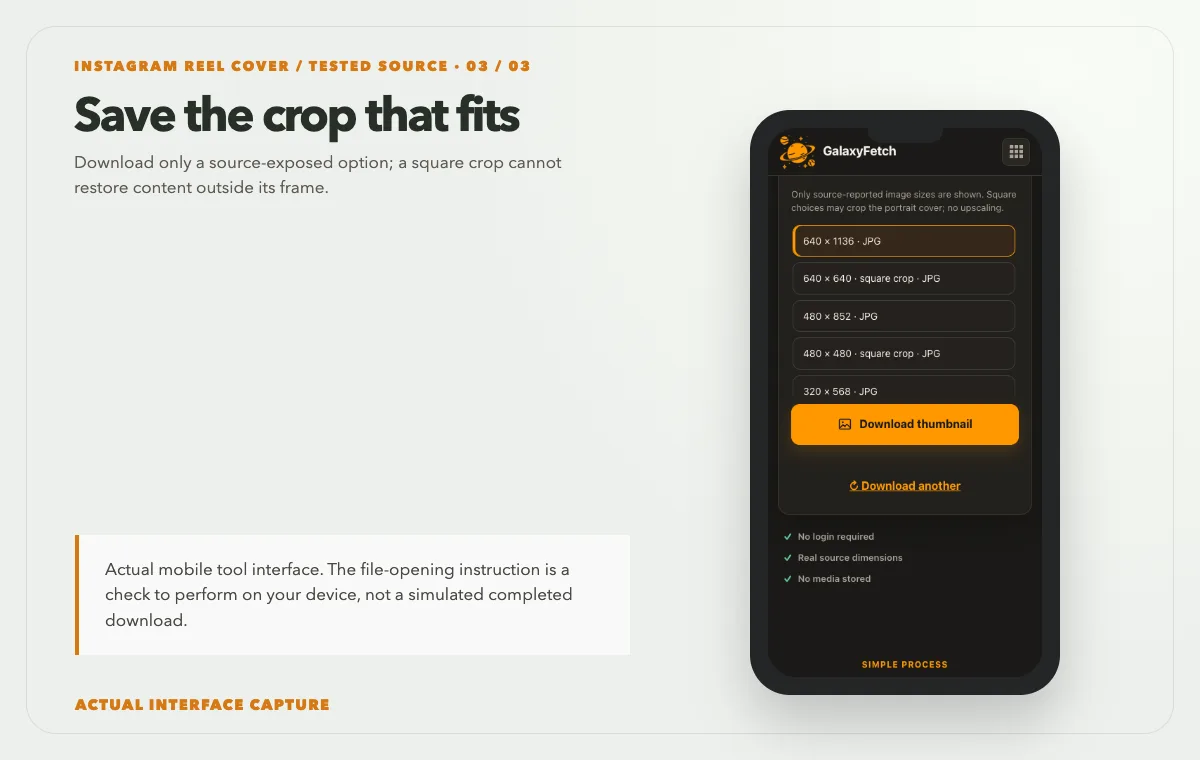
Download only a source-exposed option; a square crop cannot restore content outside its frame. Device mockup contains an actual tool-interface capture from the tested public sample link.
Open the Instagram Thumbnail Downloader, paste the public Reel or video-post link, and check the available covers. Read the width and height next to each choice. A square option may be a crop, not merely a smaller copy of the same full portrait composition. Preview the choice that matches your task, then download that image. The page transfers the selected image, not the underlying video.
I checked the cover tool on 1 October 2026 with the public Reel shown above. Analysis returned eight source-provided JPG choices, including 640 × 1136 portrait and 640 × 640 square. Those variants belong to this one post, not every Instagram video. The screenshots show the real preview, option list and download control; I did not download the cover during this check. Inspect the saved file’s pixels before using it.
Unlike a video-to-MP3 conversion, a cover-image check reads metadata and the selected image can be streamed through a bounded image route. The tool does not need to merge media tracks or download the Reel's MP4 just to return the cover. This makes the image workflow potentially faster and lighter, but it still depends on the source exposing an accessible image. A page can promise a careful process, not a guaranteed cover for every private or removed video.
If several sizes appear, choose by genuine source dimensions and desired crop. A wider pixel count is useful only if it comes from a real source rendition. An image enlarged from a small thumbnail cannot regain sharp text or fine detail. When a cover must be printed or used in a large campaign, ask the creator for the original artwork. A public rendition is generally best treated as a reference or recovery copy.
Compare portrait and square before saving
Open both previews when the source offers them. In a portrait version, look for text, faces, logos, and negative space near the top and bottom. In a square version, note what was cut from those edges. The square might be the better choice for a profile-grid illustration, while the portrait might preserve the full designed title. Do not assume the square version is automatically a 1:1 crop centered on the portrait; inspect the actual result.
Pixel dimensions and visual composition answer different questions. A 1080 × 1080 square has many pixels but may omit the subject's hands or a caption visible in a 720 × 1280 portrait. For a permitted design analysis, the lower-pixel portrait may contain the information you need. For a small square card, the square crop may look more balanced. Select the file for the actual use, not for the largest number in a menu.
On a phone, the responsive preview may fill the screen and make both files appear similar. Open the saved images in a file viewer that displays their dimensions, or compare them side by side on a computer. Do not infer the intrinsic shape from the CSS box on a website. A preview can contain padding to fit a layout without that padding being part of the downloaded file.
If you own the cover and are preparing a new version, use the public file as a comparison against your source design. Check that the text remains legible in Instagram's profile grid and the full Reel view. If a word is cut off in one crop, fix the original design and upload again using the platform's current preview tools. Do not try to repair a flawed crop by stretching the already-delivered image.
Verify the downloaded image
Open the saved file from Downloads or Files. Confirm that it is an image, not a webpage saved with an image-like filename. Check its actual width, height, format, and visual content. A JPEG, WebP, or another image type may be returned depending on the source. If an older design application cannot open WebP, convert a working copy with a trusted local editor. Keep the downloaded original unchanged. Renaming the extension is not a conversion.
Zoom to 100% and inspect edges around text and faces. Compression blocks or ringing may be present in a platform-delivered rendition even if the page preview looked sharp at a smaller size. A larger file size alone does not prove more detail. If the image will be published elsewhere with permission, ask for the original designed cover when image quality matters.
Check whether the saved image is the same as the one shown in the public post. If the source has updated the cover recently, caches may show an older version temporarily. The URL and retrieval time are useful evidence. Rechecking once later is more sensible than repeated immediate downloads that return the same cached image.
File metadata may be absent or changed after platform processing. Do not infer authorship from metadata alone. The creator's public post, design files, contract, and permission record are stronger provenance. If you add metadata to your own derived editorial graphic, describe your own layout work accurately; do not claim ownership of another person's underlying cover image.
Why screenshotting the video is not equivalent
A screenshot captures the display, including any player controls, compression, scaling, or overlays present at that moment. It may be lower resolution than a separate cover file. It may also show a frame from the video rather than the designed cover. For a quick personal note, a screenshot can document what you saw. For a design asset, use the actual source-exposed cover when available and permitted.
Taking a frame from the MP4 is a different task. The creator may have uploaded a custom cover that never appears as a frame in the video. No amount of frame extraction can recreate typography or artwork that exists only in that separate cover. If the cover is unavailable from the source, ask the creator for it rather than claiming a random video frame is the original thumbnail.
The image-only route also avoids processing a full video unnecessarily. That matters for long clips and limited server resources. It is not a reason to skip verification: the tool still needs to validate the source URL and the image bytes before offering a download. A fast answer is valuable when it remains honest about what was actually retrieved.
Troubleshooting cover-image problems
No cover choices appear. Confirm that the link points to a public Reel or individual video post. The source may not expose a separate accessible cover for that item, or access may be blocked temporarily. A private or removed post is outside the public workflow. Note the exact URL and error before seeking support.
The square image is missing important text. It may be a genuine crop of the portrait cover. Choose a portrait option if the full composition is available. If the cover is yours, redesign it with the platform's grid crop in mind. Enlarging the square image cannot restore what was cropped out.
The image looks blurry. Check actual dimensions and zoom at 100%. A browser may stretch a small file for preview. Select a larger genuine source rendition if offered. If none exists, obtain the original artwork. Do not accept an upscaled “HD” label as evidence of recovered detail.
The result is the wrong image. Reopen the original post and confirm the creator and video. If the cover changed recently, allow for source caching. Check the retrieval date and file dimensions. Do not distribute a questionable result until its identity is clear.
The image downloads but an editor rejects it. Inspect the actual file type. Convert a copy to a supported format with a trusted image editor and retain the original. Do not merely change .webp to .jpg or assume every file should be JPEG.
The preview link expired. Run a fresh check on the public post and save the image promptly. The temporary route is not a permanent image host. A file already saved to your own device is unaffected by link expiry.
Permission for cover artwork
A cover can be copyrighted photography, illustration, typography, or a composite of several licensed assets. A creator may have permission to use it on their Reel without owning every element outright. A public downloader cannot evaluate those licenses. If you want to repost the cover or use it in a product, obtain permission for that use. Credit is important but may not replace a required license.
If the cover is your own, keep the source project and any stock-photo or font licenses. If a designer made it for you, check the contract before republishing it in a new medium. For an editorial article that discusses the Reel, retain source context and avoid implying endorsement. Laws and platform rules vary, so this is practical information rather than legal advice.
The site does not need to put a user's selected cover in a public gallery to deliver it. The current cover route is designed to transfer the chosen source image in a bounded way. Editorial images that the site owner uploads for blog posts are different permanent website assets. Avoid confusing those two categories when making a privacy claim.
Portrait or square cover?
| Cover | Useful for | Check |
|---|---|---|
| Portrait rendition | Vertical preview or reference | Inspect top and bottom framing |
| Square rendition | Grid-style preview or reference | Inspect the crop around the subject |
| Video frame capture | A chosen moment from playback | Not necessarily the uploaded cover |
Read the next guide
If you need the moving Reel too, use the Reel guide.
Saving an ordinary photo post? See the photo-resolution guide.
Frequently asked questions
Is the Instagram cover the same file as the video?
No. A cover is an image used as a preview, while the Reel or feed video is moving media. This tool checks and transfers the cover image alone. Saving an image does not prove that the video or its audio has been prepared.
Why do I see square and portrait options?
Instagram can expose different crops or renditions for different surfaces. A square may suit a profile grid; a portrait may preserve the full Reel composition. Compare actual dimensions and previews. Not every post will offer both.
Can the tool make a higher-resolution cover?
It should report source-available dimensions, not invent detail. Enlarging a small image creates more pixels without restoring the original design. Ask the creator for the source artwork if a larger file is required.
Does the cover download include Reel audio?
No. An image file has no video soundtrack. If you need a permitted MP4 or MP3, that is a separate workflow with separate technical and rights considerations.
Can I use the image from a private account?
A public-link tool is not intended to enter private accounts. If it is your own image, use your design project or official account export. Do not give a third-party site your password or session cookie to retrieve it.
Is a downloaded public cover free to reuse?
No. Public visibility and technical availability do not automatically grant rights. Ask the owner or verify a license for your intended use, especially for commercial publication. A permission record should travel with the image in a team workflow.
Choose the composition, not just the number
The useful result is the correct cover for the correct public video, in a genuine source-exposed size, with the composition your permitted use requires. Copy the individual link, compare portrait and square previews, save the chosen image, and check the file locally. When the public rendition is inadequate, request the original artwork instead of accepting an upscale presented as a discovery.