A YouTube profile picture appears small beside a video, a comment, or a channel name. That small display can make it tempting to treat the image as a tiny asset, but the channel owner may have uploaded a much larger square file. The version delivered to a browser can be different from that original. If you are a creator recovering your own logo, a designer auditing a channel, or a researcher collecting a permitted reference, the important question is not “Can I right-click the circle?” It is “Which actual image rendition can I save, and what rights do I have to use it?”
This guide separates upload guidance from downloadable output. YouTube's own channel-branding help recommends a square or round profile image and explains where it appears. YouTube may show the same channel picture in many places, but the image retrieved from a public channel page is a delivered version, not necessarily the file that the creator uploaded. A downloader should show real available sizes and avoid inventing a “4K icon” by enlarging a small picture. Keep that difference in mind throughout the process.
Profile picture, channel icon, and avatar mean the same thing here
Creators and viewers use several names for the image next to a YouTube channel. “Profile picture,” “channel icon,” and “avatar” generally refer to that identity image. It is not a video thumbnail, a channel banner, or the watermark that may appear on a video. The formats and crops used for those assets differ. Copying a watch-page thumbnail when you need the channel icon will give you the wrong image, even if both are associated with the same creator.
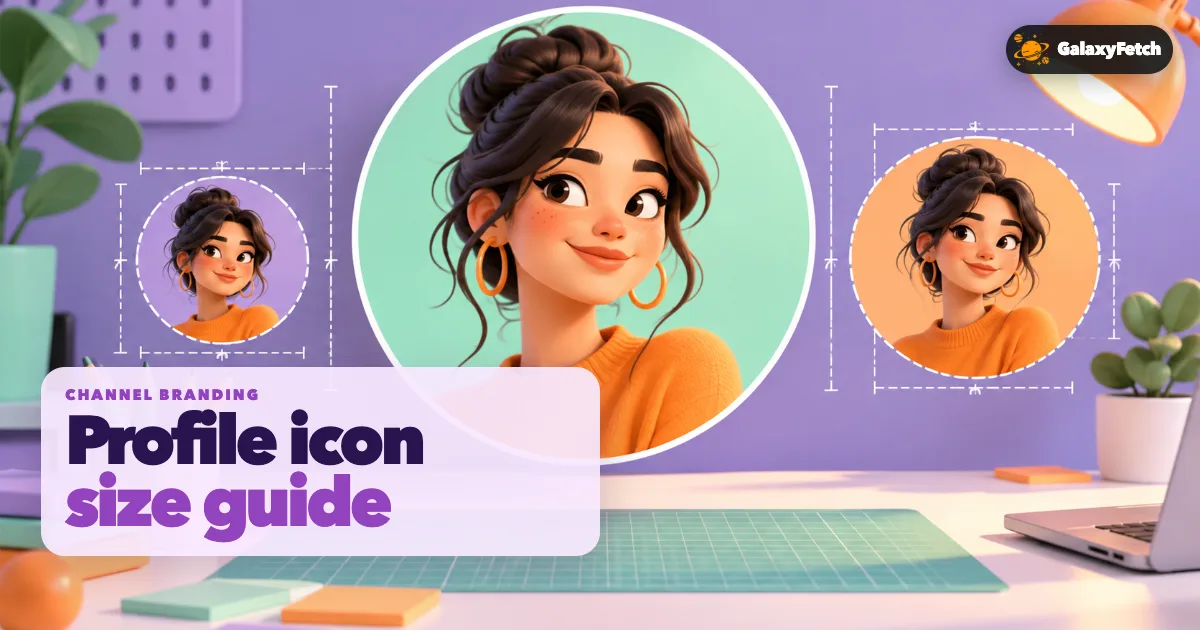
The profile picture is usually displayed inside a circle. That circle is a presentation crop. A saved file may still be square and include content near the corners, or it may have been cropped by the source before delivery. If you are auditing your own brand, inspect both the file's dimensions and the way YouTube displays it. Important text or a thin logo placed against the square edge may vanish in the circular presentation.
If you own the channel, the best source is your original logo or photo file. Search your brand folder, design project, or the person who created the asset. A downloaded rendition can help you recover something usable when the source is lost, but it may be compressed, resized, or stripped of editable layers. Do not overwrite the original with a public copy just because the public copy happens to look correct at 98 pixels on screen.
Understand size without guessing
A pixel dimension says how many pixels the file contains. A square image measuring 800 by 800 pixels can be rendered on a page at a much smaller size. The browser's display size is therefore not the image's intrinsic size. YouTube's official artist-avatar guidance mentions a 1:1 image at 800 by 800 pixels for that workflow; other channel-branding instructions emphasize a suitable square or round source. These are upload recommendations, not a promise that every public channel exposes an 800-pixel downloadable file.
When you save an icon, compare offered dimensions rather than generic labels such as “HD.” If the source yields a 300-pixel rendition and a smaller one, the 300-pixel file contains more detail. But a site that gives you a 1000-pixel file by enlarging a 300-pixel source has not recovered more image information. Inspect edges, text, and fine detail at 100% zoom. Soft, smeared edges suggest scaling or prior compression.
Aspect ratio matters as much as size. A real channel icon should normally be square before its circular display crop. A wide rectangular result may be a banner or a screenshot of the channel page, not the profile picture. If an image has transparent corners, check how it looks against both light and dark backgrounds. A white logo that seems missing in one viewer may be present but nearly invisible on a white canvas.
Copy the channel link, not a video link
Open the channel's profile page and copy its URL. A handle-style address, such as a /@handle page, identifies a channel. A video watch link identifies a video and can lead to a different asset workflow. Confirm that the page shows the channel name and icon you intend to save. Some creators run several channels with similar names; a search result alone is not sufficient verification.
If you receive a short or redirected channel link, open it and check the final destination. Use the public page's resolved address when possible. Do not type a creator's name into a made-up URL and assume you found the right account. Look for the handle and other channel details, especially when the icon is needed for research or attribution. A similarly named fan channel may use a copied logo, which creates both an accuracy problem and a rights problem.
For your own channel, compare the current icon with the brand file you expect. YouTube may take time to show a recently changed picture consistently across comments, search, and the channel page. If an older image still appears in one place, it may be cached. Do not immediately assume the downloader selected the wrong person; check the actual channel URL and revisit after the platform update propagates.
Save the image the source offers
Paste the public channel URL into the profile-picture tool.
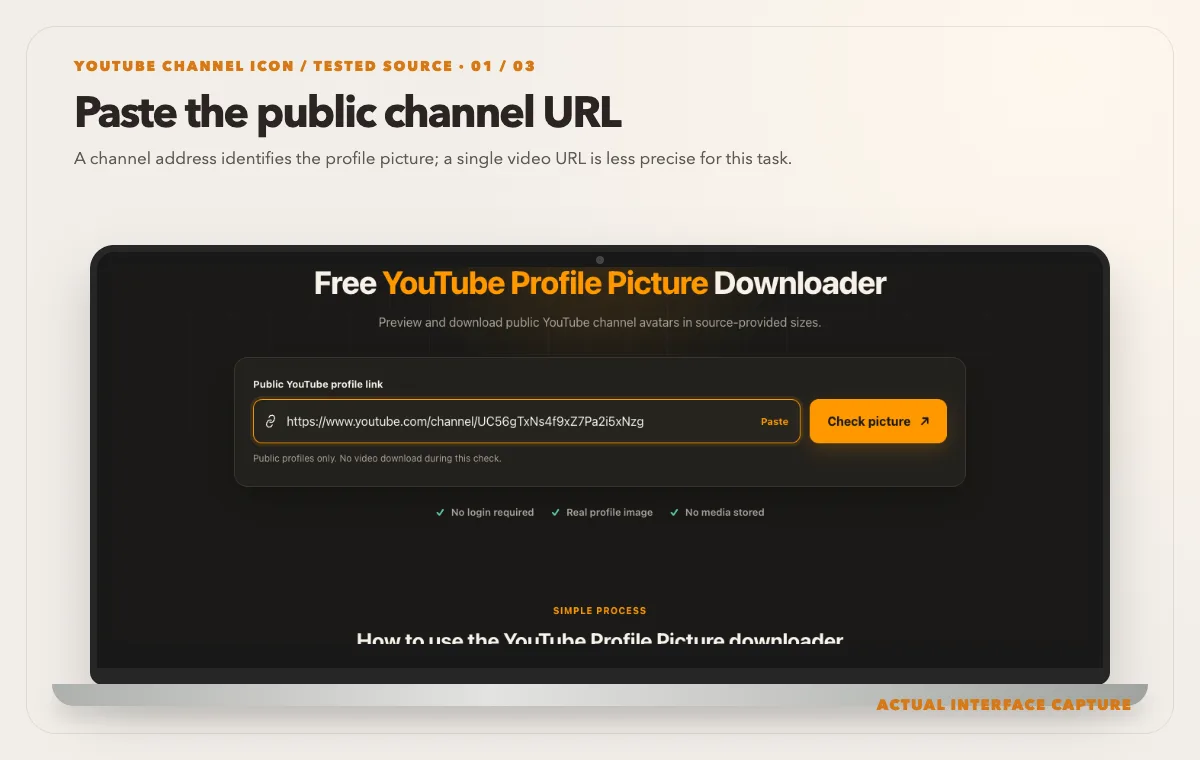
A channel address identifies the profile picture; a single video URL is less precise for this task. Device mockup contains an actual tool-interface capture from the tested public sample link. Compare the real avatar choices and reported dimensions rather than assuming the original design file is exposed.
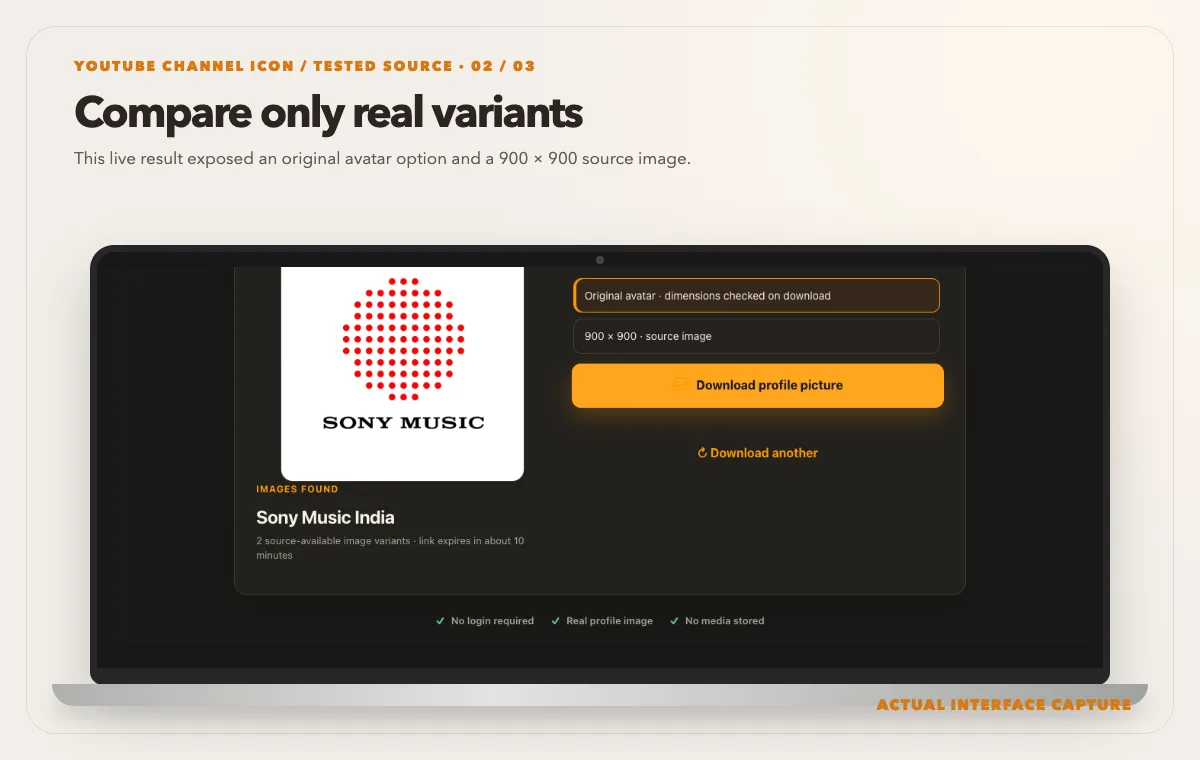
This live result exposed an original avatar option and a 900 × 900 source image. Device mockup contains an actual tool-interface capture from the tested public sample link. Use Download profile picture, then inspect the saved square file at icon size and inside a circular crop.
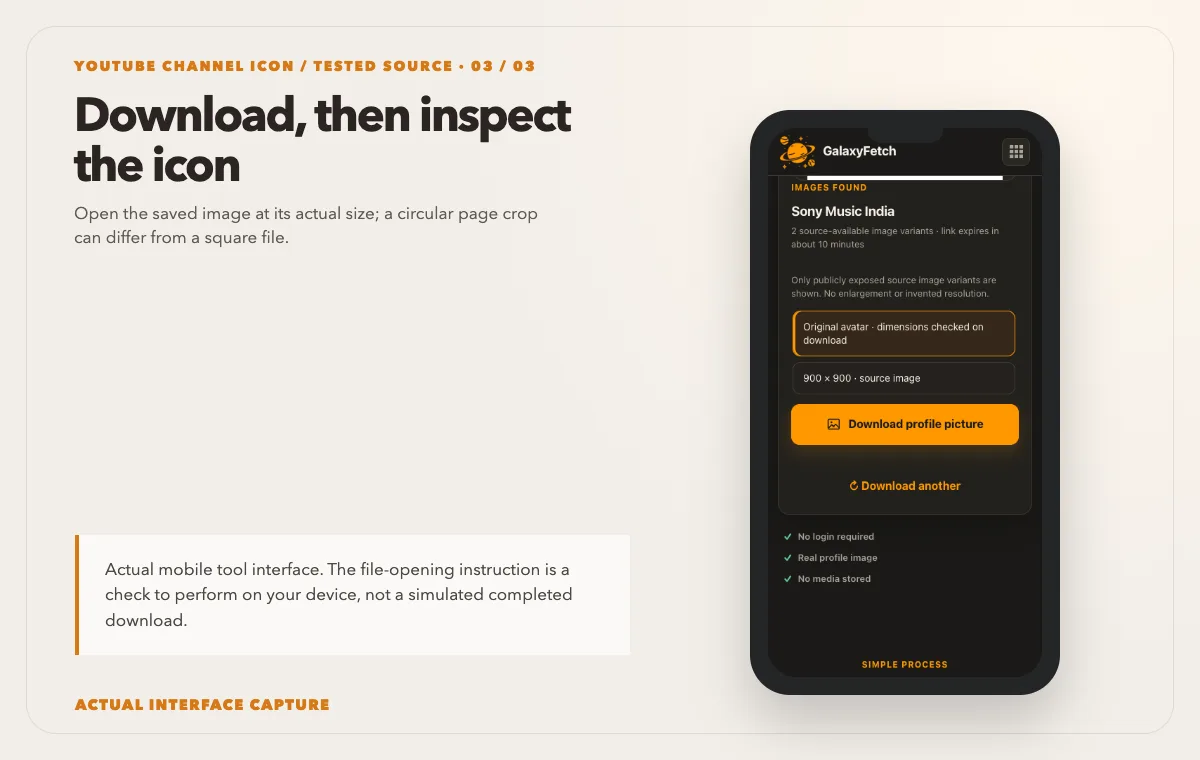
Open the saved image at its actual size; a circular page crop can differ from a square file. Device mockup contains an actual tool-interface capture from the tested public sample link.
Open the YouTube Profile Picture Downloader, paste the public channel address, and check the picture. Review the actual image preview and any offered dimensions before choosing a file. Save one suitable rendition to a deliberate folder, then open it from disk and inspect its pixel size. The visible circle on YouTube is not the same thing as a file-size or dimension report.
I checked the profile-picture tool page on 1 October 2026. It has a channel-link input and a dedicated image-result workflow, not a video-quality selector. I then submitted a public Sony Music India channel link through the checker. The analysis returned a 900 × 900 picture option, alongside an option without a reported dimension. That is a measured option from one channel, not a promise that every channel exposes 900 pixels. I did not republish that channel's image here; the screenshot shows the real input interface. When saving a permitted icon, verify its downloaded dimensions yourself.
Choose a size for the intended use. For a small internal directory, a modest square version may be sufficient. For a permitted presentation or brand audit, use the largest genuine rendition the source provides, then test it at the size you will display it. If you need to edit the logo or print it, ask the owner for the original design file. The downloader cannot reconstruct an Illustrator, Photoshop, or other layered source from a flattened public image.
Keep provenance with the saved file: channel URL, channel name, date, and the exact dimensions. A useful filename might include the handle and date, but do not rely only on the filename. Handles and branding can change. The source record helps you distinguish a historical icon from the current one without confusing two creators who share a name.
Use the file responsibly in your own work
If the image is your own channel logo, you can use the saved rendition as a recovery or comparison copy, subject to rights in any commissioned design. If it belongs to another channel, public display does not make it public domain. A profile photo may be a photographer's work, and a logo may be a protected mark. Saving it for a permitted internal reference is different from putting it in an advertisement or implying an endorsement.
For an article about a creator, use the image only if you have a valid basis and follow the applicable editorial and platform rules. Preserve the context: channel name, link, and date. Do not crop away attribution to make the image appear to represent your own brand. If the use is commercial or ambiguous, seek permission. This article is practical guidance, not legal advice; rights depend on the image and the use.
If you are comparing icons as part of a design study, avoid uploading another creator's photo to a public gallery of downloadable assets. Keep reference materials private and limited to the scope of your research. A downloader's ability to retrieve an image is a technical capability, not a grant of redistribution rights.
Brand checks for your own channel
Open the saved file at several sizes: small comment-size, medium channel-card size, and a large preview. Is the subject recognizable in the smallest display? Are letters readable, or have they become specks? A strong channel icon often relies on a bold shape, clear contrast, and a crop that keeps the main subject away from the edges. These are design observations, not rules that a downloader can enforce.
Compare the icon with your channel banner and thumbnails. YouTube's branding guidance suggests keeping the channel's visuals consistent. Consistency does not require the same picture everywhere, but a viewer should be able to recognize the account across surfaces. If you change the icon, save both the old and new originals with dates so your archive remains intelligible.
Check transparent artwork on the actual platform. A transparent PNG logo may look different after delivery or against YouTube's light and dark interfaces. If the public rendition has an unexpected background, first inspect the file format and alpha channel. Do not make a new public icon from a low-resolution recovered file when the source project is available. Re-export from the original instead.
If you are preparing a replacement image, follow the current official upload requirements shown in YouTube Studio. A downloaded rendition is useful for comparison, but upload specifications can change. Use the creator interface to preview the crop before publishing it. A source file that looks balanced in a square editor can still be cut awkwardly in a circle.
Troubleshooting the result
The checker says the link type is unsupported. Verify that you supplied a channel profile or handle URL, not a watch, Shorts, search, or playlist link. Open the URL in a browser and confirm it lands on the intended channel. Do not paste an image CDN URL into a tool that expects a channel page unless the interface explicitly supports it.
The image looks blurry. Inspect the actual pixel dimensions. A browser may stretch a small source to fill a large preview. Select a larger genuine rendition if offered. If the source exposes only a small file, contact the owner for the original. Sharpening or enlarging the file may change its appearance but cannot recreate missing detail.
The picture is old. YouTube may cache a recent channel change. Confirm the handle and channel identity, refresh the source page, and compare different official surfaces. Do not keep repeatedly downloading the same stale result while assuming the tool can force YouTube's caches to update immediately.
The wrong channel appears. Do not proceed with the file. Check the final URL after any redirect, the handle, and the channel name. Search results and similar display names can be misleading. A direct public channel page is a safer input.
The file opens with a black or white background. It may be transparent artwork displayed against a viewer background, or the source may have flattened it. Inspect transparency in an image editor. Keep the downloaded original unchanged while making any working copy.
The download link expired. Run a fresh check of the public channel and save the new result promptly. A temporary link is not a permanent image host. The copy already saved on your computer is unaffected by link expiry.
Compare channel image uses
| Image | Useful for | Important check |
|---|---|---|
| Available large icon | Design reference or permitted reuse | Inspect real pixel dimensions |
| Small icon rendition | Compact identification | Check clarity at display size |
| Original design file | Editing your own brand artwork | Retrieve from your own archive |
Read the next guide
Designing the same channel? Check banner safe areas next.
Need the image attached to a specific video? Use the thumbnail guide.
Frequently asked questions
What size should a YouTube profile picture be?
YouTube's current branding guidance favors a square or round image, and its official artist-avatar guidance mentions 800 by 800 pixels for that particular workflow. Check the current Studio upload requirements for your account. The downloadable rendition of another channel's icon may have different dimensions; do not confuse an upload recommendation with a guaranteed public output.
Will the saved image be circular?
Not necessarily. YouTube commonly displays channel pictures in a circular frame, but the delivered file may be square. Inspect the actual saved image and its alpha channel. If you are making a new icon, preview how the square source will crop in a circle.
Can I get the creator's original design file?
No public downloader can reconstruct layers, vectors, or the original camera photo from a flattened rendition. If you own the channel, search your project archive or ask the designer. If someone else owns it, request the file and permission directly.
Why are there several image qualities?
The platform can deliver different renditions for different display sizes. A tool can list source-available versions. It should not label an enlarged small file as a genuine high-resolution original. Compare real dimensions and visual detail.
May I use another channel's icon in my article or product?
The right answer depends on the image, context, and your jurisdiction. A public icon may be copyrighted or function as a trademark. Do not imply endorsement. Seek permission when needed and retain attribution and source context for editorial use.
Does downloading the icon make it public on this site?
The intended workflow provides a short-lived result for the requester, not a public album of requested channel pictures. The image remains publicly available at its source as long as the channel owner exposes it. A local copy you save is under your control and responsibility.
Keep the source and the file connected
A useful channel-icon download has three parts: the correct channel URL, the actual saved image, and a record of what the file represents. Read the dimensions, inspect the crop, and respect the creator's rights. If the icon is yours and the original exists, back up the original. If the icon belongs to someone else, use the public rendition only within the permission and purpose you have.