Reels are built for quick sharing inside Instagram, but a share link is not a usable project file. If you made a Reel and misplaced its export, a saved public copy may help you recover the published cut. If a collaborator asks you to use their Reel, a local copy can support an approved edit or presentation. Both situations require more care than tapping a download button: the file must actually play, the portrait frame must survive, the soundtrack must be appropriate for the new use, and the permission must be clear.
This guide is for public Reels you own or have authorization to save. It does not treat an accessible link as a license. It also distinguishes a public Reel copy from the original project. Instagram may deliver a processed MP4 rather than the untouched export from the creator's phone or editing application. If you have the original, it is the better archive and editing source. Use a public rendition for a specific recovery or permitted workflow, then label it honestly.
Decide what you need from the Reel
Some people want a copy for personal backup. Others need a reference for a client review, an approved cross-post, or a research note. Those goals demand different files and rights. A personal recovery copy of your own Reel might only need to be viewable. A professional edit needs a high-quality original, separate audio rights, and perhaps captions. A public repost needs permission for the video, music, text, and any people whose likeness is used. Decide the purpose before you choose a quality or destination.
If the Reel is yours, search the camera roll, editing app, shared drive, and project exports first. Instagram's published copy may include effects, platform text, or audio that is not present in the original, so compare versions rather than assuming one replaces the other. Save both when they serve different purposes. If a teammate made the Reel, ask for the export when quality matters. A link-based copy is a fallback, not a substitute for an organized asset handoff.
For someone else's Reel, request permission that describes the use: internal reference, presentation, repost, ad, or derivative edit. “You can share this” may mean sharing the Instagram link, not downloading and republishing the MP4. Keep the message or license that grants permission. If the creator used music from Instagram's library, ask whether the music can travel to the new destination. The creator's permission over their picture does not necessarily cover a separate music license.
Copy one specific public Reel
Open the Reel itself and use Instagram's link or share control. A Reel URL commonly contains /reel/ and a shortcode. A profile page or the Reels tab on a profile shows many items and is not enough to identify which one you want. Open a copied link in a browser to confirm the correct creator and video. If a messaging app appended punctuation or broke the URL over two lines, copy the clean address again.
Check public availability without relying on your signed-in account. A Reel visible only to followers of a private profile is outside a public-link workflow. A deleted or region-restricted post may also fail. Do not paste account cookies, passwords, or private access tokens into a third-party form to force a download. If it is your own private Reel, use your account's official information export or your saved original.
Record the Reel URL, creator handle, date, and permission basis before saving a copy for team use. This is especially valuable when several versions of a vertical clip circulate in a campaign. A file in Downloads named only after the first words of a caption can be confused with another edit. A small source record helps you identify the published cut later.
Inspect and prepare the available file
Open the specific public Reel, establish permission for your use, and paste its link into the Reel tool.
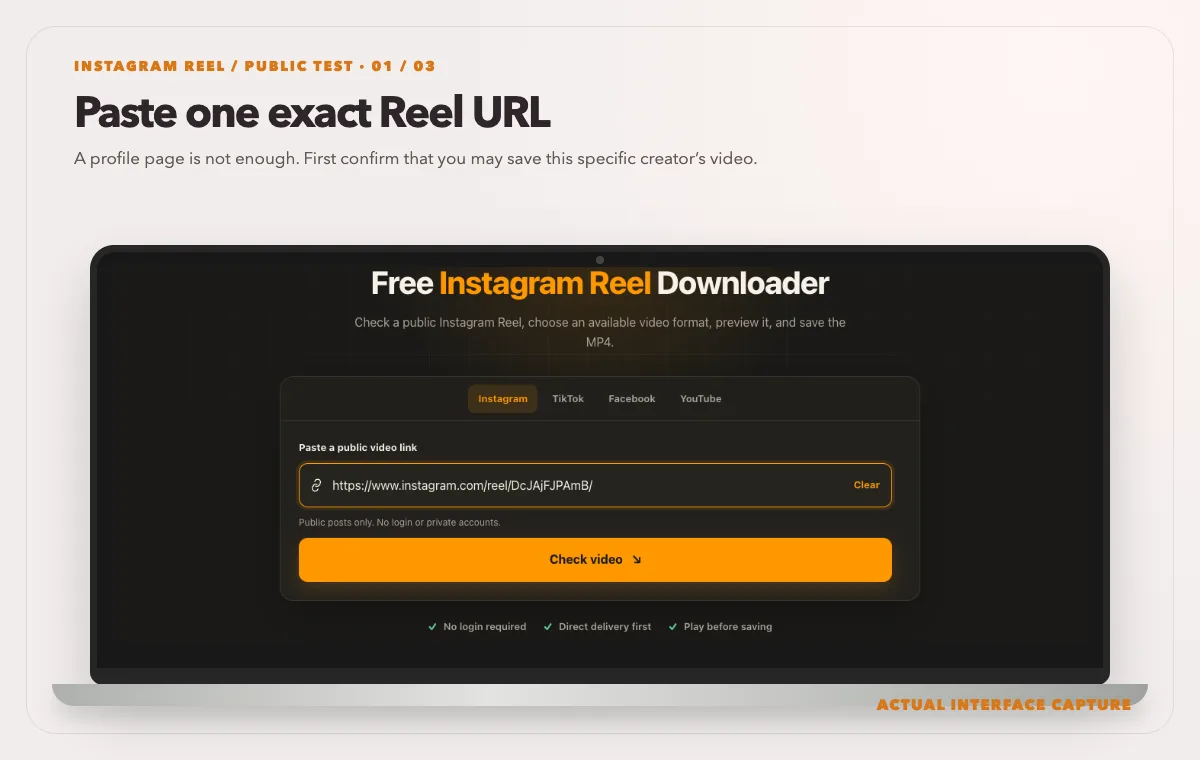
A profile page is not enough. First confirm that you may save this specific creator’s video. Device mockup contains an actual tool-interface capture from the tested public sample link. Read the actual quality, format and delivery-route label; this live check exposed one 720p MP4 fast-path choice.
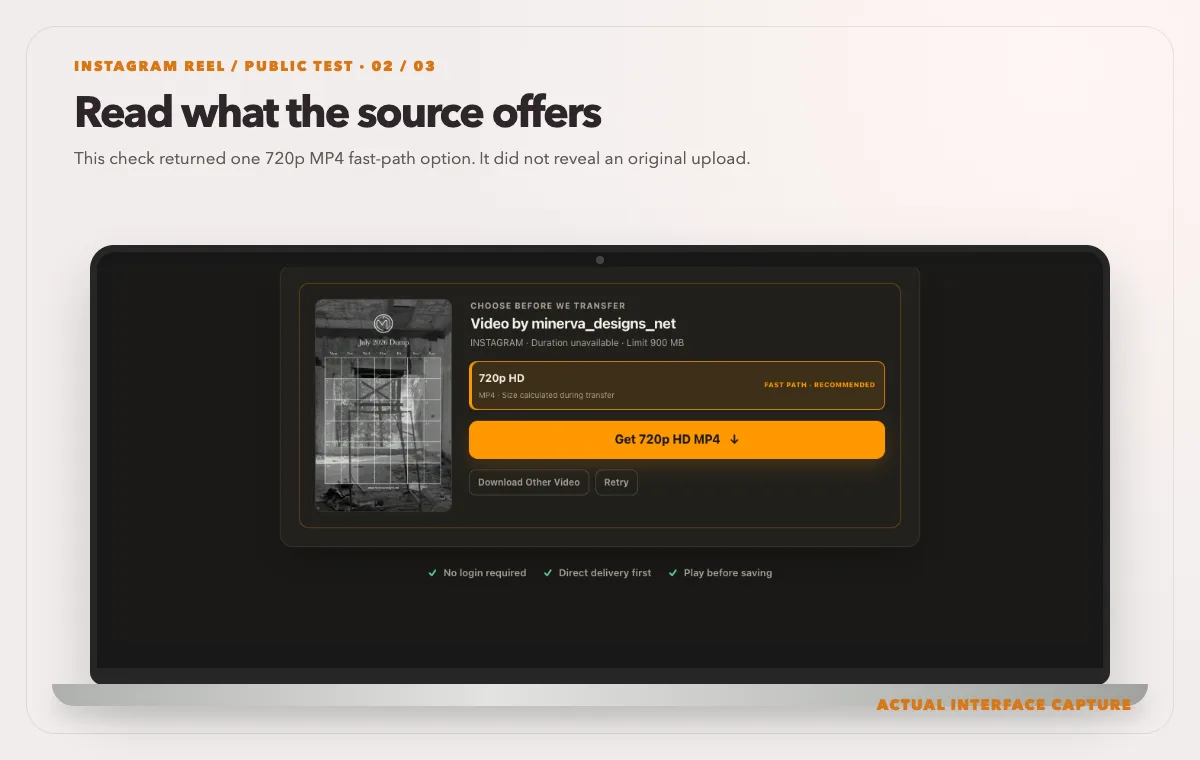
This check returned one 720p MP4 fast-path option. It did not reveal an original upload. Device mockup contains an actual tool-interface capture from the tested public sample link. Use Get MP4, then play the saved file and confirm its picture, sound and runtime before relying on it.
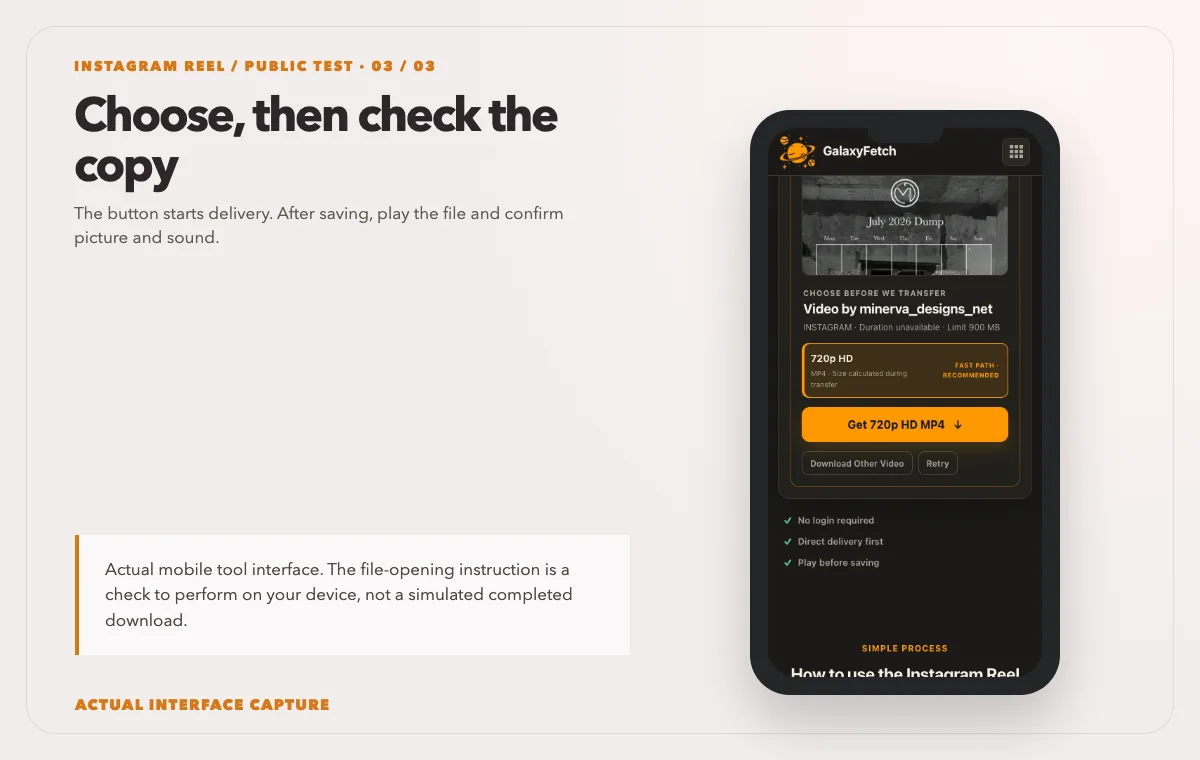
The button starts delivery. After saving, play the file and confirm picture and sound. Device mockup contains an actual tool-interface capture from the tested public sample link.
Open the Instagram Reels Downloader, paste the individual public Reel address, and select the check control. The tool should analyze the actual source before presenting a quality option. Choose a compatible offered MP4, allow the preparation to finish, and play the ready result if the browser player is available. Then save the file and verify the local copy. Do not confuse the cover still with the playable video.
I checked the Reel page on 1 October 2026 with the public post shown in the screenshots. Analysis reached a single 720p MP4 choice marked fast path. Its exact size was calculated during transfer, not at the check stage. The images show the real preview, option and Get MP4 control; they do not claim that a final file was downloaded, contained audio, or will remain available indefinitely.
The choice list may be short. Instagram may expose one complete file rather than several separately selectable resolutions. The absence of a second “HD” button is not necessarily a missing feature. A trustworthy tool should avoid relabeling the same file as several qualities. If the visible result is too soft for your permitted use, ask the creator for their original export rather than using an enlarged copy and calling it high definition.
Different sources can take different delivery paths. A verified complete MP4 may be delivered directly or through an edge route. Other sources can require proxying or temporary private storage. A short-lived link lets you retrieve the prepared result for a limited time; it does not mean that the file never touched the service's infrastructure. The site is designed not to publish a user's requested file in a public directory, but the exact processing path should not be hidden in an absolute “zero storage” claim.
Verify portrait framing and motion
Once the file is saved, open it in a local player. A portrait Reel viewed on a wide desktop screen will naturally have empty space on both sides. That is not evidence of a bad download. Check the file's pixel dimensions and whether the image remains vertical. If an editor fills a horizontal frame by cropping the video, that is an editor setting after download, not necessarily a defect in the MP4.
Watch a section with text close to the top or bottom. Reels often place captions, stickers, or calls to action near interface controls, and a new platform may cover or crop those areas differently. Saving a file with all its pixels does not guarantee that a cross-post will show them. If you have permission to reuse it, make a working copy and preview the destination layout before publishing. Keep the recovered original unchanged.
Play more than the first two seconds. A transfer can produce a valid-looking opening yet stop early. Scrub to the middle and final frame. Check whether the audio stays synchronized with speech or action. If a Reel uses a loop, note whether the beginning and ending are intentionally close. A seamless loop can make a short or cut-off file harder to notice without comparing its runtime to the public post.
Compare the local file with the Instagram version at similar display size. A big monitor can exaggerate compression that is unobtrusive on a phone. If the creator filmed a low-resolution source, a downloader cannot rebuild detail. For an archival copy of your own work, preserve the highest-quality original export and the published Reel separately. For a client review, state which one is being assessed.
Sound deserves its own check
A Reel's soundtrack may combine camera audio, a voice-over, and platform-licensed music. The public playback may differ from the creator's local export, especially if music or audio availability changed. Listen to the saved file with sound on. Check a spoken section and any point where music begins or ends. A poster frame, waveform thumbnail, or file extension cannot prove that the MP4 includes audible sound.
If the local result is silent, first confirm that the public Reel actually plays with sound and that your player is not muted. Try another player. If the public source has audio but the saved file does not, record the Reel URL and selected option for support. The problem may be an audio-track selection or delivery issue. Do not tell the reader to retry indefinitely or assume that all silent Reels are a platform restriction.
If you plan to republish the Reel elsewhere, check rights in the audio separately. A track offered inside Instagram may be available under terms for use on Instagram, not automatically for a commercial website or a different social network. A creator can send you a silent export and a separately licensed music file when a campaign needs cross-platform use. That handoff is more reliable than trying to infer permission from the published Reel.
Where to put the copy
On iPhone, a browser download may arrive in Files rather than Photos. Open the browser's Downloads list, locate the MP4, and play it there first. If you need it in Photos, use the device's Share menu to save the video when that option is available. On Android, check the browser's Downloads list and file manager before expecting it in Gallery. The site's button cannot force identical behavior across phone models and browsers.
On Mac or Windows, move a verified copy out of the generic Downloads folder into the relevant project. Store the source link and permission record with it. If you will edit the file, duplicate it first so the recovered version remains unchanged. If it will be shared with a collaborator, include the intended use and attribution instructions; a file alone does not communicate rights.
Avoid relying on a temporary website link as your archive. Once it expires, rechecking the source may be necessary, and the source itself could disappear. Save the permitted file promptly and back it up in your own controlled storage. A short-lived link is a delivery mechanism, not a guarantee that the file will remain available forever.
Troubleshooting a Reel that will not download
The URL is rejected. Confirm that it is an individual /reel/ link. A profile, Story, post grid, or feed page is a different input. Open the URL to confirm the specific video and copy it again without trailing punctuation.
The checker never finds a file. Test the Reel while signed out. A private, deleted, region-restricted, or otherwise inaccessible Reel may not expose a public source. A public tool should not bypass account access. If you own it, return to the original export or official account data.
Only a cover image appears. A cover is not an MP4. Wait for the analysis or ready state and check whether a video option exists. If preparation fails, save the error text and source URL. Do not click the cover and assume a video was downloaded.
The MP4 is silent. Check the public Reel's sound, your device volume, and another player. If the source has sound, the result may have missed an audio track. Report the option selected. If the source itself is silent, no downloader can create missing audio.
The file is sideways or cropped. Check the actual dimensions in a media inspector and open it in another player. The next editing app may auto-rotate or crop portrait footage. Keep the downloaded source and correct the working copy's project settings rather than altering the only saved file.
The link has expired. Recheck the public Reel for a fresh link. Expiration does not delete a finished local copy. If the source was removed in the meantime, an old temporary result may no longer be recoverable.
Permission in plain language
You can save your own Reel for backup, subject to rights in included music and third-party material. For a Reel made by somebody else, public visibility is not a general license to download, edit, or repost it. Ask for permission for the exact use, retain the record, and credit the creator where required. If the video includes identifiable people, private settings, or licensed artwork, those can add separate considerations. This guide is not legal advice.
An official Instagram account export can be a better way to archive your own account in bulk. The one-link tool is for a specific public Reel. It is not a workaround for private Stories or a method to collect an entire profile. Keep credentials inside the official app. Do not describe the service as never temporarily storing bytes when some delivery paths clearly do.
What to verify in a Reel
| Check | Why it matters | How to confirm |
|---|---|---|
| Portrait framing | Cropping can cut off captions or subjects | Play the full file on a phone |
| Sound | Platform music may not be present in every file | Listen to the saved copy |
| Rights | Public visibility does not grant reuse | Keep a permission record |
Read the next guide
If you need a still image from the post, see the cover-image guide.
For a regular feed post, use the video-quality guide.
Frequently asked questions
Is a Reel link different from a feed-video link?
Reels commonly use /reel/ URLs, while feed posts often use /p/. Copy the individual item and use the matching workflow. A profile link does not identify one video. The underlying source determines what file can be offered.
Can I get the exact original quality?
Not reliably from a public rendition. Instagram may process the uploaded file. If you own the Reel, your original project or export is the best-quality archive. If a collaborator owns it and you have permission, ask for the export.
Why is there just one download option?
That may be the only compatible complete file the source exposes. Multiple labels do not prove multiple qualities. Compare actual dimensions and playback rather than assuming another site has recovered a hidden master.
Does a saved Reel include its music?
It depends on the public source and the prepared file. Play the saved MP4 to verify. Even when music is present, technical inclusion is not a license to use the track on another platform or in a commercial project.
Can I save a private Reel with this page?
No public-link workflow should be expected to enter a private account. Use your original file or official account export for your own private material. Do not hand a downloader your password or session cookie.
What happens when the result link expires?
You must recheck the public source to get a new link. A local MP4 you already saved remains on your device. Temporary processing objects are handled by a cleanup process, not by the browser link as a permanent storage service.
A good save has a purpose and a provenance record
The sound, frame, source, and rights all matter. Copy one public Reel, inspect the actual file offered, save it, play it locally, and store its source and permission alongside it. If the recovered copy is too soft or the music cannot be reused, do not force it into a job it cannot serve. Ask for the original or a properly licensed export instead.