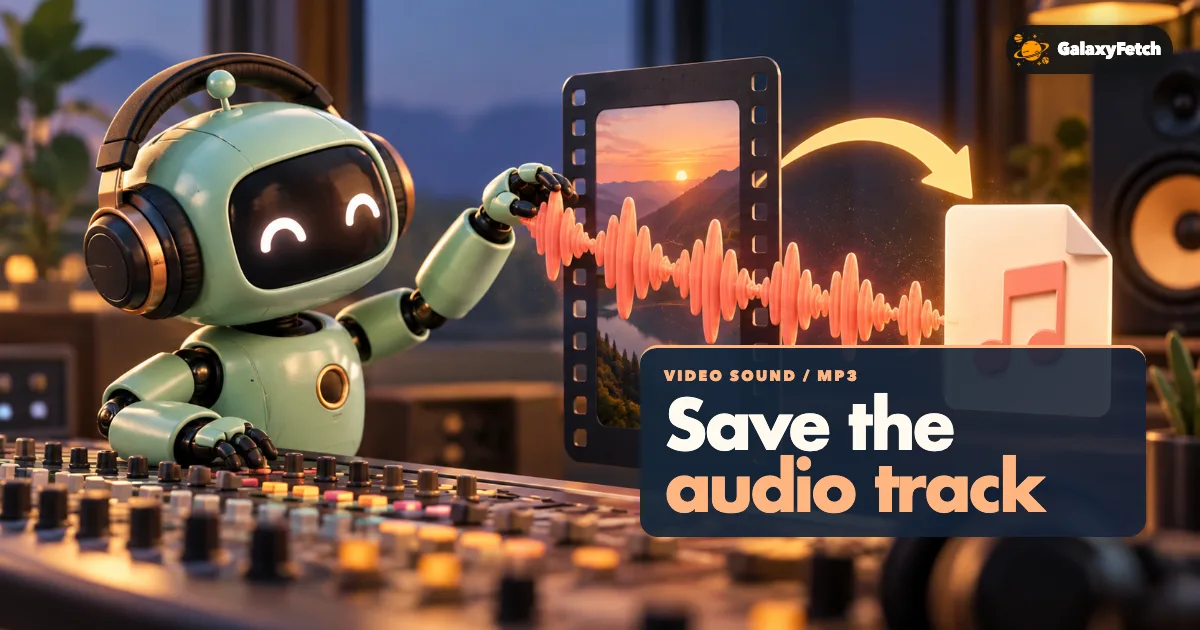
An Instagram Reel can sound like one seamless track while actually combining a person's voice, camera sound, music from a platform library, and effects added during editing. Saving that soundtrack as MP3 is technically possible when the public source exposes an accessible audio track. It is not the same as receiving the creator's original music file or a license to use the sound in your own post. A good extraction workflow checks for real audio before transfer, creates a genuine MP3 rather than renaming a video file, and verifies the result by listening.
This guide is for your own public video or a video whose owner has permitted the specific audio use. It is especially relevant to spoken-word interviews, a voice-over you recorded, or a permitted reference for an edit. If you need a clean production stem, ask for the original session or audio export. Instagram's delivered soundtrack is a processed mix. Once several sounds are combined, a simple download cannot separate them perfectly or restore quality lost during upload.
Identify the sound you actually need
Before choosing an MP3 tool, decide whether you need the full soundtrack or one component. If a Reel has speech over music, a soundtrack extraction will usually contain both. If you only need the voice, you may need the creator's separate recording or an authorized audio-editing workflow. If you only need a song, look for its licensed source rather than taking it from a social video. A platform-delivered mix can include compression, cuts, and volume changes that make it a poor music master.
Listen to the public post from beginning to end. Is the audio present throughout? Does the speaker begin after a silent introduction? Is the last second deliberately faded out? Write down the runtime and a distinctive phrase or sound near the middle. Those notes help you check the converted MP3 later. Do not assume that a video with moving pictures also has a usable audio track; some posts are silent or have music unavailable in a viewer's region.
If you made the video, search your editing project and original recordings first. The voice-over track, microphone recording, and music license files may be in different folders. Preserve those originals. A converted MP3 is convenient for listening or recovery but is not a substitute for separated, lossless sources. If someone else made the video, get explicit permission for the audio use, particularly if you intend to distribute or edit it.
Use the individual public post link
Open the Reel or feed video itself and copy its link. A Reel often uses /reel/; a feed video often uses /p/. Either can identify one supported public video for this audio workflow. A profile page does not identify one soundtrack. An image-only post or carousel has no moving-picture soundtrack to extract, and a Story or Highlight is a different access pattern that this page does not claim to handle.
Confirm the link in a signed-out browser window. A post visible only because you follow a private account is not an appropriate public-tool input. Do not provide an Instagram password, browser cookie, or account session to obtain audio from a private post. If it is your own private content, use the original project or the official account-data route. A public URL is a technical prerequisite here, not a permission grant.
For a team or client project, keep the creator handle, post URL, date, and rights note with the resulting audio. A viral sound can be reused by many accounts; the Reel you copied may not be the original recording. A social audio label is not a proof of ownership. Trace the actual rights holder when a soundtrack will go into a new commercial or public use.
Check, convert, and listen
Listen to the individual public Reel and confirm that you have permission to save its full soundtrack.
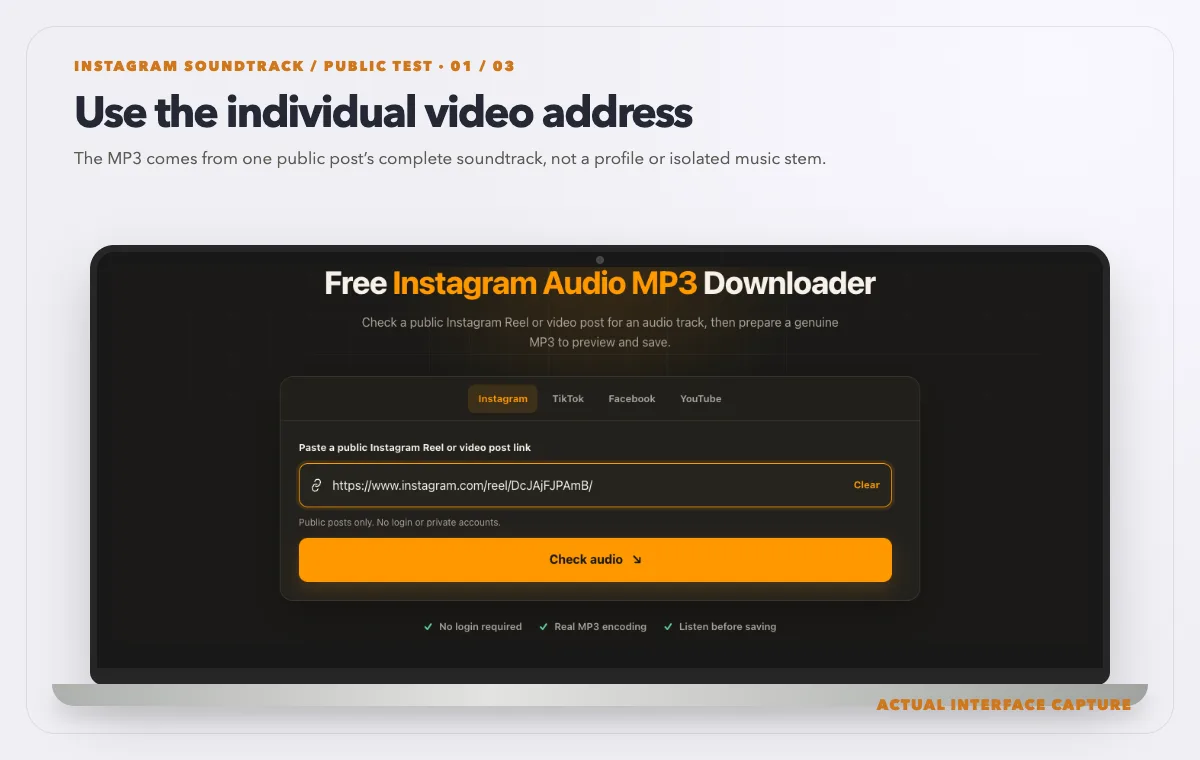
The MP3 comes from one public post’s complete soundtrack, not a profile or isolated music stem. Device mockup contains an actual tool-interface capture from the tested public sample link. Check the post in the audio tool and read the offered MP3 conversion route without assuming a final file size.
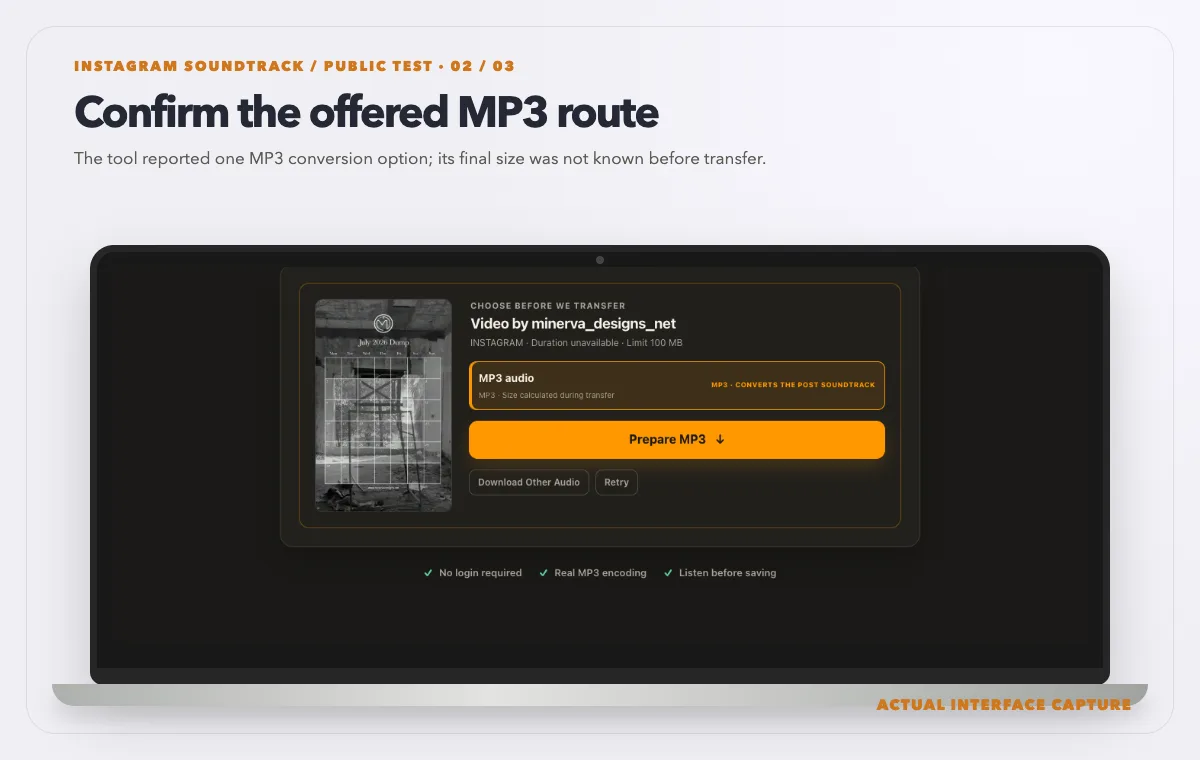
The tool reported one MP3 conversion option; its final size was not known before transfer. Device mockup contains an actual tool-interface capture from the tested public sample link. Use Prepare MP3, wait for completion, then inspect and listen to the saved local file before using it.
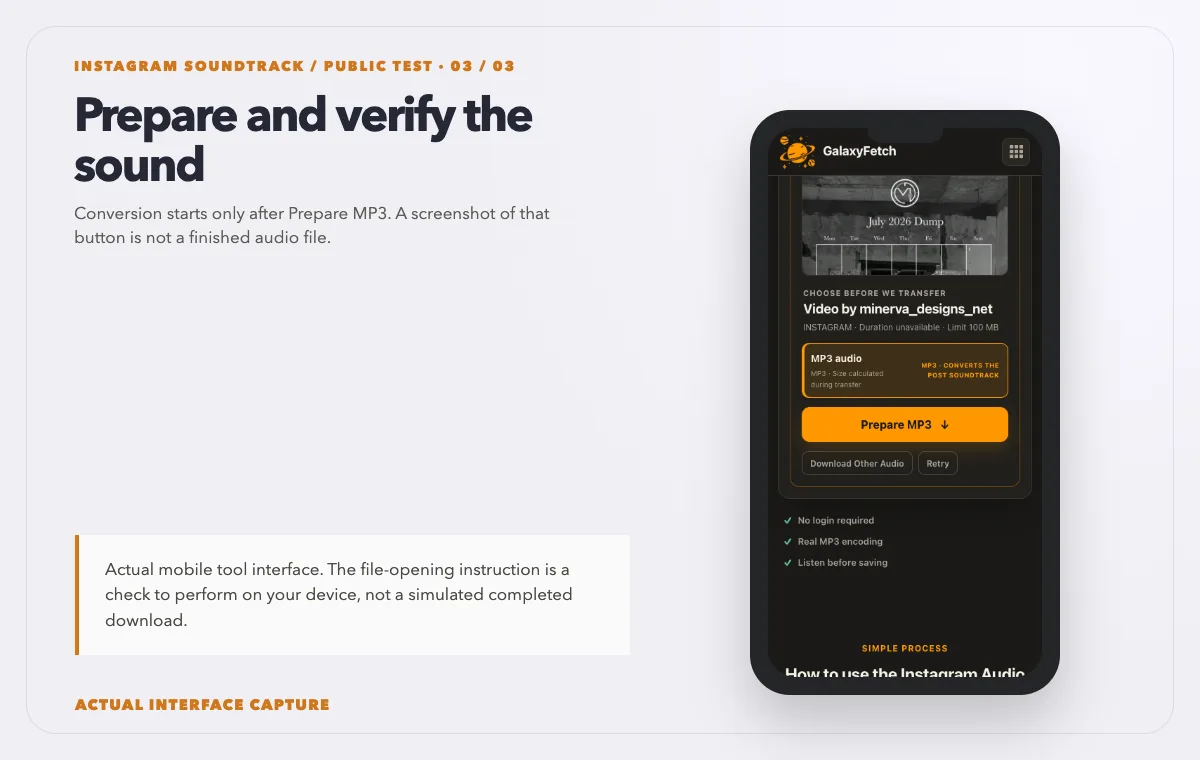
Conversion starts only after Prepare MP3. A screenshot of that button is not a finished audio file. Device mockup contains an actual tool-interface capture from the tested public sample link.
Open the Instagram Audio MP3 Downloader, paste one public Reel or video-post URL, and use the check control. The tool is designed to confirm that an audio-bearing source exists before spending bandwidth on media transfer. If it finds a usable option, prepare the MP3, wait for the ready state, listen in the browser preview, and save the file promptly. Then open the local MP3 and listen again. A browser preview and a local file check are related but different tests.
I checked the Instagram audio page on 1 October 2026 with the public Reel pictured above. Analysis exposed one MP3 conversion option with size calculated during transfer. I did not run the conversion or inspect a completed audio file. The images document the real input, analysis and Prepare MP3 control, not a finished MP3. For a post you may use, verify the saved file’s format and duration and listen at several points.
When Instagram exposes an audio-only source, the worker can prefer that instead of fetching all video pixels. This reduces unnecessary transfer, but it does not make conversion free or instantaneous. Instagram does not generally provide a ready-made MP3 for a redirect. The worker must obtain the available audio, encode it as MP3, and make a temporary private result available. A direct CDN URL to an M4A or a video file is not an MP3 simply because the download button says “audio.”
The size shown for a source track may differ from the final MP3. Encoding changes the file. Do not interpret a size calculated during transfer as a failure by itself. The site's current audio path also has a bounded source/output limit and may be subject to a lower admin-configured maximum. Long or unexpectedly large videos can fail those checks. If the audio is your own, your original recording avoids another lossy conversion and may be easier to manage.
Verify that the MP3 is real and complete
Open the saved file in a local player that reports duration. Compare it with the public video, allowing for a small difference caused by intros, edits, or encoding. Listen to the first spoken line, a middle section, and the ending. If a twenty-minute video yields a forty-second MP3, something failed or the source track was incomplete. If the file has the right runtime but the sound is faint, check both player volume and the public video's own mix.
Inspect the actual file type when possible. A genuine MP3 has an MP3 audio stream; renaming an M4A or MP4 extension does not transcode it. A capable media inspector can report codec, bitrate, sample rate, and channels. Those numbers do not certify that the content sounds good, but they can reveal a mislabeled or empty file. Keep the first downloaded result unchanged while testing a working copy in an editor.
The site may embed the operator's configured MP3 cover artwork in new conversions. That artwork can make the file recognizable in a music player, but it is not proof of audio completeness and it is not the original Reel cover. Some players cache old artwork, so compare in another player before reporting that the MP3 has the wrong image. If you plan to distribute the MP3, make sure you have rights in any cover art as well as the recording.
If you need a clean clip from a longer soundtrack, first save and verify the full permitted file. Then trim a duplicate in a local editor. Trimming before confirming the source can hide an incomplete transfer. Name the edited copy with the time range and keep a note of the original post. An MP3 is lossy, so avoid repeated encode-save-encode cycles when the project needs high fidelity.
Voice, music and effects have different rights
A person who recorded a spoken message may own or control their speech recording, but the background music may belong to someone else. A platform license that makes the track usable inside Instagram may not authorize distributing a standalone MP3 or using it in a commercial presentation. A creator's permission to use their video may not cover a song they themselves licensed only for that platform. Ask specific questions before reusing the extracted soundtrack.
For a podcast or interview, check the guest release and whether the audio includes music, ads, or another person's recording. If the video is your own and you need to publish the audio as a podcast, the original production file is preferable. The public Instagram mix can be a fallback for reference or emergency recovery. Label it as such; do not quietly replace the master with a recompressed social rendition.
For a music performance you own, locate the recording or distributor file. A Reel may shorten the performance or layer a trend sound over it. An MP3 extracted from that Reel reproduces the public mix, not necessarily the performance you want to release. For another artist's song, follow their authorized download or licensing route. Public playback and technical extraction are not substitutes for permission.
For sound effects and ambient recordings, think about privacy and location. A Reel can include a conversation, a child's voice, or a recognizable workplace. Even if the post is public, creating a standalone audio file may make it easier to redistribute outside the original context. Use care, limit sharing, and obtain consent where needed. This article is practical guidance, not a legal opinion.
Troubleshooting an audio conversion
The checker says there is no audio. Play the public video with sound enabled. If it is silent, the tool cannot create a soundtrack. If it clearly has sound, the source may not expose an accessible audio stream at that moment. Record the URL and observed error for support rather than claiming the tool should synthesize missing audio.
The post is unavailable. Check the individual link while signed out. Private, deleted, or restricted media may not be accessible to a public extractor. Use your own original file or official account export for nonpublic material. Do not submit credentials to a third-party tool.
Preparation takes longer than expected. The worker may need to fetch audio and encode it to MP3. A long video, slow source, or rate limit can extend the wait. Give the current attempt time to finish, then retry once if it fails. Starting several identical conversions at once wastes bandwidth and does not improve the source.
The MP3 is silent or truncated. Compare the source, test the saved file in another player, and inspect duration. If the public post has sound but the saved MP3 lacks it, a source-track or conversion problem is plausible. Report the source link and stage at which the tool failed. Keep other valid copies before deleting anything.
The cover art is unexpected. The audio tool may use site-configured MP3 artwork, not the Reel's poster. Some players cache embedded images. Reopen the file in a different player. Artwork does not affect the audio track; address the two issues separately.
The delivery link expired. Run a fresh check and save the new MP3 promptly. The already downloaded local file remains on your device. The service's temporary storage cleanup is a separate operation from browser-link expiry.
Privacy and storage claims should be precise
An audio conversion is not usually a direct redirect from Instagram to a ready MP3. The current design uses a bounded worker, and it may hold a private temporary result so the user can preview and save it. It does not intentionally publish that result as a public browse page. A short link lifetime and scheduled cleanup reduce retention, but they do not justify saying that no server ever handled the file or that every copy disappears at exactly fifteen minutes.
Keep sensitive or confidential recordings in your own controlled environment rather than sending them to a public conversion service. The intended input here is a public post whose audio you are authorized to use. If you need a private archive, the original creator files and official account export are safer. Protect the MP3 once it is on your device, particularly when it contains voices or personal details.
Understand the saved soundtrack
| Sound | Possible result | Verification |
|---|---|---|
| Voice | Speech mixed into the video sound | Listen for clipping and completeness |
| Music | The audio present in the source | Check rights before reuse |
| Effects and ambient sound | Usually part of the same mix | Do not expect isolated stems |
Read the next guide
If you need picture and sound together, save the feed video.
For a YouTube source instead, follow the YouTube MP3 workflow.
Frequently asked questions
Is the result a real MP3 or an M4A renamed to MP3?
The current tool is designed to encode the accessible source audio as MP3. A source M4A may be used to avoid fetching video pixels, but the output conversion is a separate step. Verify the saved file in a local player or media inspector if the format matters to your workflow.
Why not give a direct Instagram audio CDN link?
Instagram generally does not offer a finished MP3 file for this purpose. A direct link may point to M4A audio or an MP4 containing video and audio. To deliver an actual MP3, the service must retrieve an audio-bearing source and encode it.
Can the tool extract a specific voice without music?
It extracts the accessible soundtrack, which may mix speech, music, and effects. It does not recover separate studio stems. Ask the creator for the original voice track or use an authorized editing process if you need isolation.
Will it work on a photo or carousel post?
This page is intended for public Reels and video posts with an accessible audio track. An image-only post is not a supported audio source. A slideshow may have music in Instagram's presentation, but that does not guarantee a retrievable standalone track for this workflow.
May I use the extracted sound in my own Reel?
Only if the rights and platform rules permit your particular use. A creator may control the voice or video but not the accompanying commercial song. Ask for permission or use the platform's licensed sound feature as intended; do not infer rights from a successful download.
Why might my MP3 have the website's artwork?
The site can use an MP3 cover image configured by its operator. That helps identify new conversions in a player. The artwork is separate from the soundtrack and may not match the source Reel's cover. Check the audio itself to judge conversion success.
A usable audio copy needs listening and context
The important result is not merely an MP3 extension. It is a complete, audible file from the correct public post, saved with permission and labeled so its source and limitations are clear. Check the link, confirm an audio track, let real conversion finish, listen locally, and retain the rights record. If you need a pristine voice or music master, obtain the creator's original rather than expecting a social-video conversion to supply one.